Haystack projects depend on the Python package that provides pipeline classes, components, document stores, and integrations for local RAG experiments. Installing the package with pip inside a project environment keeps those dependencies separate from other Python work.
The PyPI distribution is named haystack-ai, while Python code imports the module as haystack. The current package declares Python >=3.10, so check the active interpreter before installing the package.
A virtual environment keeps pip writes inside the project directory and makes the import check meaningful. After installation, the same activated environment should report the haystack-ai distribution version and import haystack without an error.
Related: How to create a virtualenv for Haystack
Related: How to check the Haystack version
Steps to install Haystack with pip:
- Check that Python 3.10 or later is available.
$ python3 --version
Python 3.14.4
Use the project interpreter that should own the Haystack install. On Ubuntu or Debian systems where the virtual environment module is missing, install the distro package that provides venv before creating the environment.
- Create a project virtual environment.
$ python3 -m venv .venv
- Activate the virtual environment.
$ . .venv/bin/activate
- Confirm that pip points inside the activated environment.
$ python -m pip --version
pip 26.1.2 from /home/user/haystack-demo/.venv/lib/python3.14/site-packages/pip (python 3.14)
- Install the Haystack package from PyPI.
$ python -m pip install haystack-ai
Collecting haystack-ai
  Downloading haystack_ai-2.30.2-py3-none-any.whl.metadata
##### snipped #####
Successfully installed haystack-ai-2.30.2 haystack-experimental-0.19.0 openai-2.44.0 pydantic-2.13.4
##### snipped #####
The base haystack-ai package installs the core framework. Some document converters, vector stores, embedders, and tracing integrations may ask for extra packages when those components are imported.
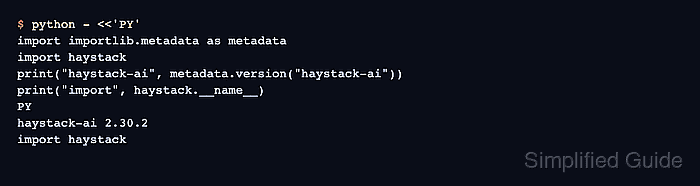
- Verify the installed distribution and import name.
$ python - <<'PY'
import importlib.metadata as metadata
import haystack
print("haystack-ai", metadata.version("haystack-ai"))
print("import", haystack.__name__)
PY
haystack-ai 2.30.2
import haystack
The command imports haystack before printing the distribution version, so an import error means the active environment is not using the installed package or a dependency is missing.
Related: How to check the Haystack version

Mohd Shakir Zakaria is a cloud architect with deep roots in software development and open-source advocacy. Certified in AWS, Red Hat, VMware, ITIL, and Linux, he specializes in designing and managing robust cloud and on-premises infrastructures.


