Running Grafana Mimir with Docker Compose creates a local Prometheus-compatible metrics backend for remote write and Grafana query tests. The monolithic demo configuration is suitable for evaluation because one process exposes the write, query, and readiness APIs on port 9009.
The demo configuration uses local filesystem storage and disables multitenancy so the first test can run without tenant headers or object storage credentials. This keeps the startup path small while still exercising the API paths that Prometheus and Grafana use.
Use this setup only for local validation. Production Mimir deployments need object storage, a tenant model, component scaling, retention planning, and operational monitoring before they hold shared metrics.
Steps to run Mimir with Docker Compose:
- Create a project directory for Mimir.
$ mkdir mimir-compose
- Change into the project directory.
$ cd mimir-compose
- Save the demo Mimir configuration.
- demo.yaml
multitenancy_enabled: false
blocks_storage:
  backend: filesystem
  bucket_store:
    sync_dir: /tmp/mimir/tsdb-sync
  filesystem:
    dir: /tmp/mimir/data/tsdb
  tsdb:
    dir: /tmp/mimir/tsdb

compactor:
  data_dir: /tmp/mimir/compactor
  sharding_ring:
    kvstore:
      store: memberlist

distributor:
  ring:
    instance_addr: 127.0.0.1
    kvstore:
      store: memberlist

ingester:
  ring:
    instance_addr: 127.0.0.1
    kvstore:
      store: memberlist
    replication_factor: 1

ruler_storage:
  backend: filesystem
  filesystem:
    dir: /tmp/mimir/rules

server:
  http_listen_port: 9009
  log_level: error

store_gateway:
  sharding_ring:
    replication_factor: 1
Do not use the filesystem demo configuration for production metrics. It is intended for a local monolithic test.
- Save the Compose file.
- compose.yaml
services:
  mimir:
    image: grafana/mimir:latest
    command: --config.file=/etc/mimir/demo.yaml
    ports:
      - "9009:9009"
    volumes:
      - ./demo.yaml:/etc/mimir/demo.yaml:ro
      - mimir_data:/tmp/mimir

volumes:
  mimir_data:
- Start Mimir.
$ docker compose up -d
Container mimir-compose-mimir-1  Started
- Check the Mimir readiness endpoint.
$ curl --silent --include http://127.0.0.1:9009/ready
HTTP/1.1 503 Service Unavailable

Ingester not ready: waiting for 15s after being ready
A new monolithic process can report this warm-up state while the ingester finishes its startup wait period.
- Check readiness again after the warm-up period.
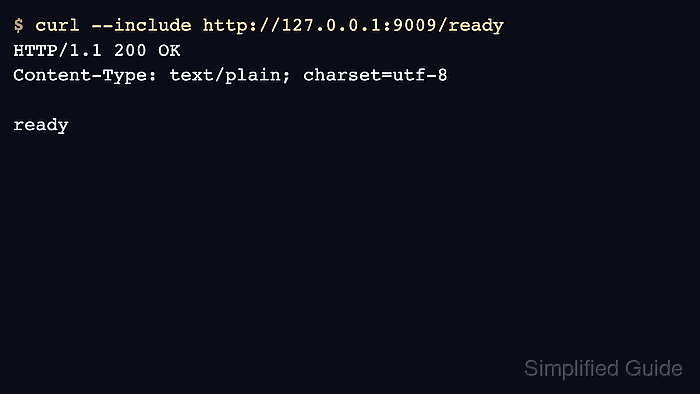
$ curl --silent --include http://127.0.0.1:9009/ready
HTTP/1.1 200 OK

ready
- Query the Prometheus-compatible API.
$ curl --silent 'http://127.0.0.1:9009/prometheus/api/v1/query?query=up'
{"status":"success","data":{"resultType":"vector","result":[]}}
An empty vector is expected before Prometheus or Alloy writes samples. The response proves the query API is reachable.
- Stop the local Mimir stack when testing is complete.
$ docker compose down -v
Container mimir-compose-mimir-1  Removed
Volume mimir-compose_mimir_data  Removed
The down -v option removes locally stored test metrics.

Mohd Shakir Zakaria is a cloud architect with deep roots in software development and open-source advocacy. Certified in AWS, Red Hat, VMware, ITIL, and Linux, he specializes in designing and managing robust cloud and on-premises infrastructures.


