Deleting a custom firewalld zone removes the saved policy object, but any interface, source, default-zone, or automation that still expects that zone must be moved first. A safe deletion proves the zone is no longer active, removes its bindings, validates the permanent configuration, and reloads cleanly.
The example deletes a custom old-lab zone after moving its source binding away. Built-in zones such as public, trusted, drop, and external should not be treated as cleanup targets; delete only local zones that are no longer part of the host policy.
Check both runtime and permanent state before deleting. Runtime output shows whether the zone is handling traffic now, while permanent output shows whether a reload or reboot would recreate the binding.
Related: Create a firewalld zone
Related: Assign a source to a firewalld zone
Related: Assign a network interface to a firewalld zone
Steps to delete a firewalld zone:
- Confirm that firewalld is running before changing zones.
$ sudo firewall-cmd --state
running
- Confirm that the target is a custom zone.
$ sudo firewall-cmd --permanent --path-zone=old-lab
/etc/firewalld/zones/old-lab.xml
Do not delete built-in zones or a zone whose path points into packaged defaults. Remove only local custom zones that have been retired.
- Inspect the zone before removing it.
$ sudo firewall-cmd --permanent --zone=old-lab --list-all
old-lab
  target: default
  icmp-block-inversion: no
  interfaces:
  sources: 10.90.0.0/24
  services: ssh
  ports:
  protocols:
  forward: no
  masquerade: no
  forward-ports:
  source-ports:
  icmp-blocks:
  rich rules:
- Check whether the zone is active at runtime.
$ sudo firewall-cmd --get-active-zones
old-lab
  sources: 10.90.0.0/24
public (default)
  interfaces: enp1s0
- Remove source bindings that still point to the retired zone.
$ sudo firewall-cmd --permanent --zone=old-lab --remove-source=10.90.0.0/24
success
Move the source to another zone instead when the client range still needs a policy.
Related: Assign a source to a firewalld zone - Remove interface bindings from the retired zone when any are listed.
$ sudo firewall-cmd --permanent --zone=old-lab --remove-interface=lab0
success
Skip this command when the zone has no interfaces. Move active interfaces to the replacement zone before deleting the old zone.
- Change the default zone if the retired zone is currently the default.
$ sudo firewall-cmd --get-default-zone
public
If the command prints the zone being deleted, set a replacement with sudo firewall-cmd --set-default-zone=<zone> before continuing.
Related: Change the default firewalld zone
- Delete the custom zone from permanent configuration.
$ sudo firewall-cmd --permanent --delete-zone=old-lab
success
- Validate the saved firewalld configuration.
$ sudo firewall-cmd --check-config
success
- Reload firewalld so runtime state no longer includes the zone.
$ sudo firewall-cmd --reload
success
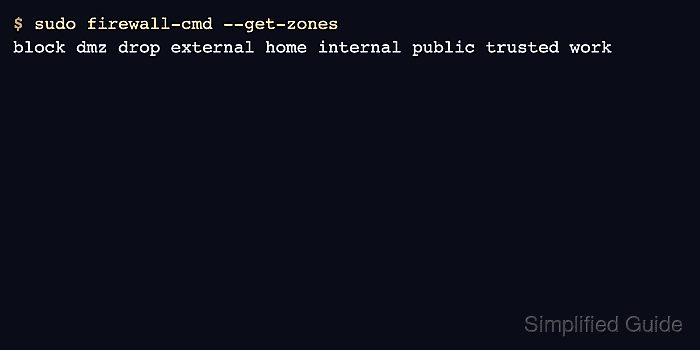
- Verify that the deleted zone is absent from the zone list.
$ sudo firewall-cmd --get-zones
block dmz drop external home internal public trusted work
- Confirm that the previous source no longer maps to the deleted zone.
$ sudo firewall-cmd --get-zone-of-source=10.90.0.0/24
no zone
If the source still maps to a zone, verify that it is the intended replacement zone before closing the cleanup ticket.

Mohd Shakir Zakaria is a cloud architect with deep roots in software development and open-source advocacy. Certified in AWS, Red Hat, VMware, ITIL, and Linux, he specializes in designing and managing robust cloud and on-premises infrastructures.


