A custom firewalld zone gives one traffic group its own services, ports, rich rules, and forwarding settings instead of overloading a built-in zone such as public. Create the zone before binding interfaces or sources to it so the rule set is visible and reviewable before it handles traffic.
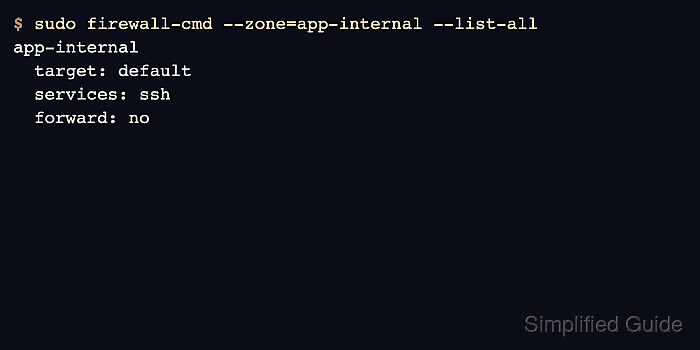
The example creates a permanent app-internal zone, adds a short description, and allows SSH as the first service. A new zone is a saved policy object only; it does not become active until an interface, source, or default-zone setting sends traffic to it.
Zone names can use letters, numbers, underscores, and hyphens, and current zone-file documentation limits the zone filename length. Use a short name that describes the trust boundary rather than the first host that happens to use it.
Related: Assign a source to a firewalld zone
Related: Assign a network interface to a firewalld zone
Related: Allow a service in firewalld
Steps to create a firewalld zone:
- Confirm that firewalld is running before changing zone configuration.
$ sudo firewall-cmd --state
running
- List existing zones before choosing the new name.
$ sudo firewall-cmd --get-zones
block dmz drop external home internal public trusted work
- Create the permanent custom zone.
$ sudo firewall-cmd --permanent --new-zone=app-internal
success
The zone is created in permanent configuration. It will not appear in runtime commands until firewalld is reloaded.
- Set a short label for the custom zone.
$ sudo firewall-cmd --permanent --zone=app-internal --set-short="Application internal"
success
- Set a description that names the traffic boundary.
$ sudo firewall-cmd --permanent --zone=app-internal --set-description="Internal application traffic"
success
- Add the first allowed service to the zone.
$ sudo firewall-cmd --permanent --zone=app-internal --add-service=ssh
success
Only add services that should be reachable by traffic assigned to this zone. A zone can be created without services when the binding should start closed.
- Validate the permanent firewalld configuration.
$ sudo firewall-cmd --check-config
success
- Reload firewalld so the new zone becomes available at runtime.
$ sudo firewall-cmd --reload
success
- Verify that the new zone is listed.
$ sudo firewall-cmd --get-zones
app-internal block dmz drop external home internal public trusted work
- Inspect the new zone.
$ sudo firewall-cmd --zone=app-internal --list-all
app-internal
  target: default
  icmp-block-inversion: no
  interfaces:
  sources:
  services: ssh
  ports:
  protocols:
  forward: no
  masquerade: no
  forward-ports:
  source-ports:
  icmp-blocks:
  rich rules:
- Assign an interface or source only after the zone policy is ready.
Use an interface binding for a whole link, or a source binding when one address range needs this zone while the interface keeps a different default.
Related: Assign a network interface to a firewalld zone
Related: Assign a source to a firewalld zone

Mohd Shakir Zakaria is a cloud architect with deep roots in software development and open-source advocacy. Certified in AWS, Red Hat, VMware, ITIL, and Linux, he specializes in designing and managing robust cloud and on-premises infrastructures.


