A source assignment sends traffic from a specific address, network, MAC address, or ipset into a chosen firewalld zone. It is useful when one client network needs a different rule set from the interface's general zone, such as a partner API range or a management VPN pool.
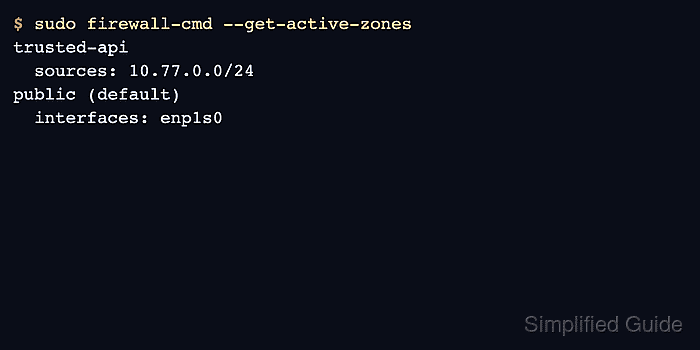
The example assigns 10.77.0.0/24 to a custom trusted-api zone. The zone must contain the services, ports, rich rules, or policies that should apply to that source because the source binding only chooses the zone; it does not open traffic by itself.
Add the source to runtime for immediate effect and permanent configuration for persistence. Query both views before and after the change so a later reload does not move the source back to the default or interface-based zone.
Related: Create a firewalld zone
Related: Check active firewalld zones
Related: Create a firewalld ipset
Steps to assign a source to a firewalld zone:
- Confirm that firewalld is running before changing source bindings.
$ sudo firewall-cmd --state
running
- Confirm that the target zone exists.
$ sudo firewall-cmd --get-zones
block dmz drop external home internal public trusted trusted-api work
Create the zone first if it is not listed.
Related: Create a firewalld zone - Inspect the target zone before assigning a source to it.
$ sudo firewall-cmd --zone=trusted-api --list-all
trusted-api
  target: default
  icmp-block-inversion: no
  interfaces:
  sources:
  services: https ssh
  ports:
  protocols:
  forward: no
  masquerade: no
  forward-ports:
  source-ports:
  icmp-blocks:
  rich rules:
Do not bind a source to a zone until the zone's allowed services match the intended exposure for that source network.
- Check whether the source already belongs to a zone.
$ sudo firewall-cmd --get-zone-of-source=10.77.0.0/24
no zone
- Add the source to the target zone at runtime.
$ sudo firewall-cmd --zone=trusted-api --add-source=10.77.0.0/24
success
- Add the same source to permanent configuration.
$ sudo firewall-cmd --permanent --zone=trusted-api --add-source=10.77.0.0/24
success
- Validate the saved firewalld configuration.
$ sudo firewall-cmd --check-config
success
- Reload firewalld so runtime state is rebuilt from permanent configuration.
$ sudo firewall-cmd --reload
success
- Query the runtime source binding after the reload.
$ sudo firewall-cmd --zone=trusted-api --query-source=10.77.0.0/24
yes
- Query the permanent source binding as well.
$ sudo firewall-cmd --permanent --zone=trusted-api --query-source=10.77.0.0/24
yes
- Verify that the active-zone inventory shows the source under the target zone.
$ sudo firewall-cmd --get-active-zones
trusted-api
  sources: 10.77.0.0/24
public (default)
  interfaces: enp1s0
- Test an allowed service from a client inside the assigned source range.
$ nc -vz app01.example.net 443
Connection to app01.example.net 443 port [tcp/https] succeeded!
If the test fails, confirm the client source as seen by the server and inspect the target zone's services, ports, and rich rules.

Mohd Shakir Zakaria is a cloud architect with deep roots in software development and open-source advocacy. Certified in AWS, Red Hat, VMware, ITIL, and Linux, he specializes in designing and managing robust cloud and on-premises infrastructures.


