A firewalld default zone is the policy used when an interface, connection, or source does not have a more specific zone assignment. Changing it can immediately move unbound traffic into a different rule set, so confirm the target zone before running the command on a remote host.
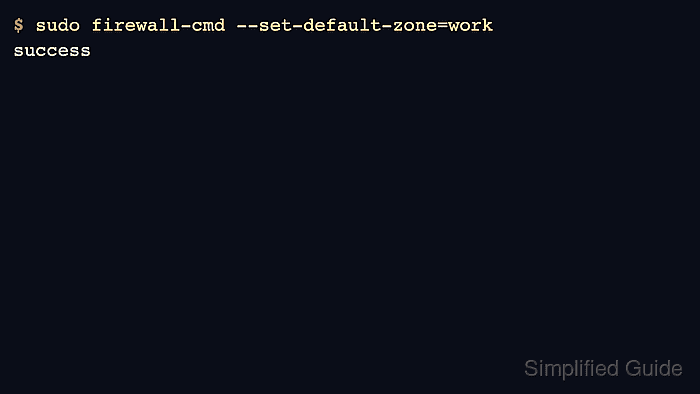
firewall-cmd --set-default-zone=<zone> keeps the change in both runtime and permanent configuration. It also changes the zone for connections or interfaces that were using the old default, which is different from adding a rule that waits for a reload or reboot.
Use a zone whose allowed services match the host's baseline exposure before making it the default. Interfaces with explicit NetworkManager zone settings may stay in their assigned zone, so verify active zones after the change instead of assuming every interface moved.
Related: Check active firewalld zones
Related: Assign a network interface to a firewalld zone
Related: Allow a service in firewalld
Steps to change the default firewalld zone:
- Confirm that firewalld is running before changing zone policy.
$ firewall-cmd --state
running
- List the zones available on the host.
$ firewall-cmd --get-zones
block dmz drop external home internal public trusted work
Some distributions or local packages can add extra zones. Use the zone name shown by the host, not a name copied from another server.
- Check the current default zone.
$ firewall-cmd --get-default-zone
public
- Check which zones are active before the change.
$ firewall-cmd --get-active-zones
public
  interfaces: enp1s0
An active zone has an interface or source binding. A host with no active interfaces in firewalld can still have a default zone for unclassified traffic.
Related: Check active firewalld zones
- Inspect the rule inventory for the target zone.
$ firewall-cmd --zone=work --list-all
work
  target: default
  icmp-block-inversion: no
  interfaces:
  sources:
  services: dhcpv6-client ssh
  ports:
  protocols:
  forward: yes
  masquerade: no
  forward-ports:
  source-ports:
  icmp-blocks:
  rich rules:
Do not make drop, block, or another restrictive zone the default on a remote host until remote administration traffic is allowed through that zone or bound to a separate management zone.
- Set the new default zone.
$ sudo firewall-cmd --set-default-zone=work
success
The default-zone command updates runtime and permanent configuration in one call, so a separate --permanent command is not needed for this specific change.
- Verify the default zone value after the command returns.
$ firewall-cmd --get-default-zone
work
- Recheck active zones to see which bindings moved.
$ firewall-cmd --get-active-zones
work
  interfaces: enp1s0
If an interface remains under the previous zone, it probably has an explicit zone assignment in NetworkManager or firewalld. Change that interface or connection assignment separately instead of repeatedly changing the default zone.
- List the rules now used by the default zone.
$ firewall-cmd --list-all
work
  target: default
  icmp-block-inversion: no
  interfaces: enp1s0
  sources:
  services: dhcpv6-client ssh
  ports:
  protocols:
  forward: yes
  masquerade: no
  forward-ports:
  source-ports:
  icmp-blocks:
  rich rules:
When --zone is omitted, --list-all reports the current default zone. The zone name, interface list, and allowed services should match the exposure intended for unclassified traffic.

Mohd Shakir Zakaria is a cloud architect with deep roots in software development and open-source advocacy. Certified in AWS, Red Hat, VMware, ITIL, and Linux, he specializes in designing and managing robust cloud and on-premises infrastructures.


