Espresso selectors should identify the control that belongs to the app, not the current English label or row position that happens to be visible. Selector cleanup matters when a harmless copy edit, localization pass, or layout refactor breaks a UI test even though the screen still behaves the same for the user.
onView() evaluates a Hamcrest matcher against the current Android view hierarchy and must resolve to the intended view before perform() or check() can run. Resource IDs are the first choice for app-owned controls, content descriptions fit icon-only actions, and scoped matchers keep repeated row layouts from matching the wrong child view.
Keep the selector that finds a control separate from the assertion that proves user-visible behavior. The sample checkout test replaces a text-only button matcher with a resource-ID helper, keeps the receipt assertion on the expected screen text, and reruns the same connected test after the button label changes.
Steps to stabilize Espresso selectors:
- Find a selector that depends on visible copy or layout position.
// Brittle: breaks when the button label changes.
onView(withText("Continue")).perform(click())

// Brittle: can click the wrong item after sorting or filtering.
onView(withText("Espresso beans")).perform(click())
Text matchers still fit final content assertions when visible text is the behavior under test. Use a stronger selector for controls that already expose app-owned IDs or accessibility labels.
- Add or confirm a resource ID on the app control.
- res/layout/activity_checkout.xml
<Button
    android:id="@+id/checkout_continue"
    android:layout_width="match_parent"
    android:layout_height="wrap_content"
    android:text="@string/checkout_continue" />
Prefer IDs owned by the target view instead of parent indexes or child order. A layout refactor can move the view without changing the resource ID.
- Add a content description when the action is icon-only.
- res/layout/activity_checkout.xml
<ImageButton
    android:id="@+id/cart_button"
    android:layout_width="48dp"
    android:layout_height="48dp"
    android:contentDescription="@string/open_cart"
    android:src="@drawable/ic_cart" />
A content description is part of the app's accessibility surface. Do not add one only for a test if it would give screen-reader users the wrong label.
- Create selector helpers in the androidTest source set.
- CheckoutSelectors.kt
package com.example.checkout

import android.view.View
import androidx.test.espresso.matcher.ViewMatchers.isDisplayed
import androidx.test.espresso.matcher.ViewMatchers.isEnabled
import androidx.test.espresso.matcher.ViewMatchers.withContentDescription
import androidx.test.espresso.matcher.ViewMatchers.withId
import org.hamcrest.Matcher
import org.hamcrest.Matchers.allOf

fun checkoutContinueButton(): Matcher<View> =
    allOf(
        withId(R.id.checkout_continue),
        isDisplayed(),
        isEnabled()
    )

fun cartButton(): Matcher<View> =
    allOf(
        withContentDescription(R.string.open_cart),
        isDisplayed()
    )
The helper name records the screen intent. Keeping matcher construction in one place makes later copy or layout changes easier to review.
- Scope reused row controls to the row content instead of an adapter position.
import android.view.View
import androidx.test.espresso.matcher.ViewMatchers.hasDescendant
import androidx.test.espresso.matcher.ViewMatchers.isDescendantOfA
import androidx.test.espresso.matcher.ViewMatchers.isDisplayed
import androidx.test.espresso.matcher.ViewMatchers.withId
import androidx.test.espresso.matcher.ViewMatchers.withText
import org.hamcrest.Matcher
import org.hamcrest.Matchers.allOf

fun addToCartButtonFor(productName: String): Matcher<View> =
    allOf(
        withId(R.id.add_to_cart),
        isDescendantOfA(
            hasDescendant(withText(productName))
        ),
        isDisplayed()
    )
Use an adapter position only when the position itself is the behavior being tested. Sorting, filtering, paging, and inserted rows can make position-based selectors click the wrong record.
- Replace the brittle action selector in the test.
- CheckoutSelectorTest.kt
package com.example.checkout

import androidx.test.espresso.Espresso.onView
import androidx.test.espresso.action.ViewActions.click
import androidx.test.espresso.assertion.ViewAssertions.matches
import androidx.test.espresso.matcher.ViewMatchers.withId
import androidx.test.espresso.matcher.ViewMatchers.withText
import androidx.test.ext.junit.rules.ActivityScenarioRule
import androidx.test.ext.junit.runners.AndroidJUnit4
import org.junit.Rule
import org.junit.Test
import org.junit.runner.RunWith

@RunWith(AndroidJUnit4::class)
class CheckoutSelectorTest {

    @get:Rule
    val activityRule =
        ActivityScenarioRule(CheckoutActivity::class.java)

    @Test
    fun tappingPrimaryActionShowsReceipt() {
        onView(checkoutContinueButton()).perform(click())

        onView(withId(R.id.receipt_title))
            .check(matches(withText(R.string.receipt_title)))
    }
}
The action selector uses the control ID and state. The assertion still checks the user-visible receipt title because that text is the expected screen result.
- Change the button label without changing its ID.
- res/values/strings.xml
<resources>
    <string name="checkout_continue">Place order</string>
    <string name="receipt_title">Receipt</string>
</resources>
A selector based on R.id.checkout_continue should keep finding the button after this copy-only change. A selector based on withText("Continue") would fail here.
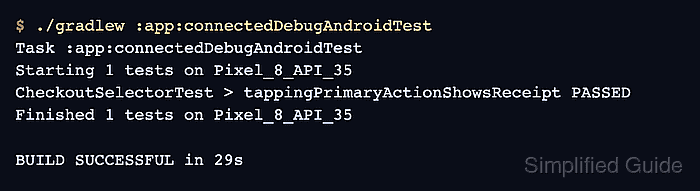
- Run the connected Espresso test task.
$ ./gradlew :app:connectedDebugAndroidTest
Task :app:connectedDebugAndroidTest
Starting 1 tests on Pixel_8_API_35
CheckoutSelectorTest > tappingPrimaryActionShowsReceipt PASSED
Finished 1 tests on Pixel_8_API_35

BUILD SUCCESSFUL in 29s
The module and variant may expose a different connected task, such as :mobile:connectedFreeDebugAndroidTest. A passing run after the label change proves the action selector no longer depends on the old button text.
Related: How to run Espresso tests locally

Mohd Shakir Zakaria is a cloud architect with deep roots in software development and open-source advocacy. Certified in AWS, Red Hat, VMware, ITIL, and Linux, he specializes in designing and managing robust cloud and on-premises infrastructures.


