Migrating Filebeat to Elastic Agent moves log collection from host-local Beats configuration into a Fleet policy. A staged changeover keeps Filebeat running long enough to compare the old filebeat-* stream with the new logs-* data stream, then disables Filebeat after the Agent policy is proven on the same host.
Fleet-managed Elastic Agent uses integrations instead of standalone Filebeat modules and inputs. Filebeat modules usually map to named Elastic integrations, while custom filestream inputs map to Custom Logs (Filestream) with a dataset and namespace that define the destination data stream.
Some Filebeat settings do not move one-for-one. Beats internal queue tuning stays behind, processors must be attached to the integration policy or an Elasticsearch ingest pipeline, and Custom Logs (Filestream) cannot reuse old Filebeat registry state, so a short overlap window can create duplicate events until Filebeat is stopped.
Steps to migrate Filebeat to Fleet-managed Elastic Agent:
- Export the resolved Filebeat configuration on the host being migrated.
$ sudo filebeat export config -c /etc/filebeat/filebeat.yml
filebeat:
  inputs:
  - enabled: true
    id: acme-web-log
    paths:
    - /var/log/acme-web/*.log
    type: filestream
processors:
- add_fields:
    target: migration
    fields:
      source: filebeat
output.elasticsearch:
  hosts:
  - https://es01.example.net:9200
##### snipped #####
Use the exported modules, inputs, paths, processors, and output target as the migration inventory. Settings under queue.* document Filebeat behavior but do not migrate into Fleet-managed Elastic Agent.
- Back up the Filebeat configuration and registry state before changing collection.
$ sudo tar --create --gzip --file /root/filebeat-before-agent.tar.gz /etc/filebeat /var/lib/filebeat
tar: Removing leading `/' from member names
/etc/filebeat keeps the readable configuration, while /var/lib/filebeat keeps registry state that may be needed during rollback.
- Record the current Filebeat document count before enabling the replacement policy.
$ curl --silent --show-error "https://es01.example.net:9200/filebeat-*/_count?pretty&expand_wildcards=all"
{
  "count" : 148392,
  "_shards" : {
    "total" : 3,
    "successful" : 3,
    "skipped" : 0,
    "failed" : 0
  }
}
Use the same HTTPS, authentication, and CA options required by the production cluster, but keep API keys and passwords out of saved transcripts.
- Create or open the Fleet agent policy that will replace the Filebeat host configuration.
Use a staging policy for the first host when the production policy already manages a large host group.
Related: How to create an Elastic Agent policy in Fleet - Add integrations that match the exported Filebeat modules and inputs.
Map Filebeat modules to their Elastic integrations where available. For custom file inputs, use Custom Logs (Filestream) and copy the same log paths into the integration.
Related: How to add a custom log integration to Elastic Agent with Fleet - Move custom parsing into the matching integration policy or an Elasticsearch ingest pipeline.
Fleet policy settings replace processors in /etc/filebeat/filebeat.yml. A custom ingest pipeline is the usual place for migrated Grok parsing, field renames, and source-specific enrichment.
Tool: Filebeat Grok Pattern Generator - Install and enroll Elastic Agent into the policy while Filebeat is still running.
$ sudo ./elastic-agent install --url=https://fleet.example.net:8220 --enrollment-token="$FLEET_ENROLLMENT_TOKEN"
Elastic Agent will be installed at /opt/Elastic/Agent and will run as a service. Do you want to continue? [Y/n]: y
Elastic Agent has been successfully installed.
Add --certificate-authorities=/path/to/ca.crt when Fleet Server uses a private CA.
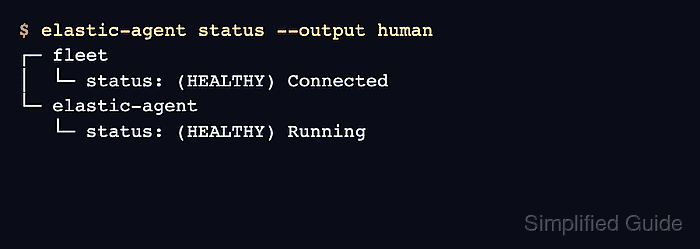
Related: How to install a Fleet-managed Elastic Agent - Check the local Elastic Agent status.
$ elastic-agent status --output human
┌─ fleet
│  └─ status: (HEALTHY) Connected
└─ elastic-agent
   └─ status: (HEALTHY) Running
- Confirm Fleet shows the host as Healthy on the expected policy revision.
Open Kibana → Management → Fleet → Agents, search for the host name, and compare the policy name, revision, and last activity time before stopping Filebeat.
Related: How to monitor Elastic Agent health in Fleet - Search the new Agent data stream while Filebeat remains active.
> GET logs-acme_web.app-*/_search
{
  "size": 1,
  "_source": [
    "@timestamp",
    "message",
    "data_stream.dataset",
    "data_stream.namespace",
    "log.file.path"
  ],
  "query": {
    "match_phrase": {
      "host.name": "web-01"
    }
  },
  "sort": [
    {
      "@timestamp": "desc"
    }
  ]
}

{
  "hits": {
    "hits": [
      {
        "_source": {
          "@timestamp": "2026-06-18T04:48:21.033Z",
          "message": "GET /checkout 200 142ms",
          "data_stream": {
            "dataset": "acme_web.app",
            "namespace": "default"
          },
          "log": {
            "file": {
              "path": "/var/log/acme-web/app.log"
            }
          }
        }
      }
    ]
  }
}
Replace logs-acme_web.app-* with the data stream created by the selected integration, such as logs-system.syslog-* or logs-nginx.access-*.
- Disable Filebeat after the Agent data stream contains the expected events.
$ sudo systemctl disable --now filebeat
Removed "/etc/systemd/system/multi-user.target.wants/filebeat.service".
Stopping Filebeat before the Agent stream is verified can create an ingest gap. Leaving Filebeat running after verification can duplicate events and storage.
Related: How to manage the Filebeat service with systemctl in Linux - Confirm the Filebeat service is inactive.
$ systemctl is-active filebeat
inactive
- Confirm Filebeat is disabled for the next boot.
$ systemctl is-enabled filebeat
disabled
- Recheck Elastic Agent after Filebeat is disabled.
$ elastic-agent status --output human
┌─ fleet
│  └─ status: (HEALTHY) Connected
└─ elastic-agent
   └─ status: (HEALTHY) Running
- Verify that fresh events still arrive through the Agent data stream.
> GET logs-acme_web.app-*/_search
{
  "size": 1,
  "_source": [
    "@timestamp",
    "message",
    "data_stream.dataset",
    "log.file.path"
  ],
  "query": {
    "range": {
      "@timestamp": {
        "gte": "now-15m"
      }
    }
  },
  "sort": [
    {
      "@timestamp": "desc"
    }
  ]
}

{
  "hits": {
    "hits": [
      {
        "_source": {
          "@timestamp": "2026-06-18T04:54:02.614Z",
          "message": "GET /checkout/complete 200 91ms",
          "data_stream": {
            "dataset": "acme_web.app"
          },
          "log": {
            "file": {
              "path": "/var/log/acme-web/app.log"
            }
          }
        }
      }
    ]
  }
}
After the rollback window, remove the Filebeat package with the host package manager and revoke Filebeat-specific API keys or users that no longer publish data.

Mohd Shakir Zakaria is a cloud architect with deep roots in software development and open-source advocacy. Certified in AWS, Red Hat, VMware, ITIL, and Linux, he specializes in designing and managing robust cloud and on-premises infrastructures.


