A custom log integration lets a Fleet-managed Elastic Agent read an application log file that does not have a dedicated Elastic package. Use it when a service writes plain text or JSON lines on an enrolled host and those events need to land in Elastic data streams for search, alerts, or dashboards.
The current custom-file package is Custom Logs (Filestream). It adds a filestream input to the selected agent policy, watches one or more Paths on the host, and writes events to a logs data stream based on the configured Dataset name and policy Namespace.
Start with one known log path on one healthy agent before copying the integration policy across a larger host group. With the default fingerprint file identity, a brand-new file must reach 1024 bytes before ingestion starts, so smoke tests against tiny files can look silent even when the policy has applied.
Steps to add a custom log integration to Elastic Agent with Fleet:
- Open Kibana → Management → Fleet → Agent policies.
- Open the policy that contains the Elastic Agent running on the log host.
The policy must be editable. Hosted policies can restrict actions such as adding integrations or changing integration settings.
- Click Add integration.
- Search for Custom Logs (Filestream) and open the integration page.
- Select the Elastic Agent integration type if Kibana shows multiple integration types.
- Click Add integration only when the target host already has Elastic Agent enrolled.
- Set Integration name to a label that identifies the source application.
acme-web-custom-logs
- Set Paths to the application log file or wildcard on the agent host.
/var/log/acme-web/app.log
Avoid broad paths already collected by another integration, such as baseline system log collection, unless duplicate events are expected.
- Set Dataset name to a stable lowercase dataset for this log source.
acme_web.app
The dataset becomes part of the data stream name, such as logs-acme_web.app-default. Do not use hyphens in the dataset name.
- Leave Use the “logs.ecs” data stream disabled when the custom dataset and ingest pipeline should be used.
When that option is enabled, Custom Logs (Filestream) writes to logs.ecs and ignores the configured Dataset name and Ingest Pipeline.
- Keep the default Exclude Files entry unless GZIP log ingestion is enabled.
\.gz$
If Decompress GZIP files is enabled, remove the default GZIP exclusion so compressed files can be read.
- Open Existing hosts and confirm the target agent policy is selected.
- Click Save and continue.
- Confirm that the policy page shows the new Custom Logs (Filestream) integration.
- Wait for the enrolled agent to return to Healthy on the latest policy revision.
Policy changes can take a few minutes to reach the host through Fleet Server.
Related: How to monitor Elastic Agent health in Fleet - Write a normal test event to the configured application log.
$ printf '%s\n' '{"level":"info","message":"fleet custom log smoke","service.name":"checkout"}' | sudo tee -a /var/log/acme-web/app.log
{"level":"info","message":"fleet custom log smoke","service.name":"checkout"}
If the file was just created for testing, add enough normal log content for the file to exceed 1024 bytes before expecting filestream to publish events.
- Search for the test event in Discover.
data_stream.dataset : "acme_web.app" and message : "fleet custom log smoke"
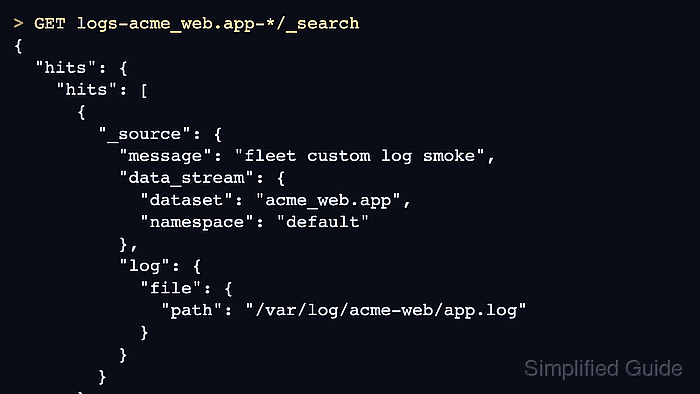
- Run an Elasticsearch search when the ingest proof needs to be saved outside Kibana.
> GET logs-acme_web.app-*/_search
{
  "size": 1,
  "_source": [
    "@timestamp",
    "message",
    "data_stream.dataset",
    "data_stream.namespace",
    "log.file.path"
  ],
  "query": {
    "match_phrase": {
      "message": "fleet custom log smoke"
    }
  }
}

{
  "hits": {
    "hits": [
      {
        "_source": {
          "@timestamp": "2026-06-18T04:41:22.918Z",
          "message": "fleet custom log smoke",
          "data_stream": {
            "dataset": "acme_web.app",
            "namespace": "default"
          },
          "log": {
            "file": {
              "path": "/var/log/acme-web/app.log"
            }
          }
        }
      }
    ]
  }
}

Mohd Shakir Zakaria is a cloud architect with deep roots in software development and open-source advocacy. Certified in AWS, Red Hat, VMware, ITIL, and Linux, he specializes in designing and managing robust cloud and on-premises infrastructures.


