Creating a filesystem on a DRBD device prepares the replicated block device for a normal Linux mount point. The format belongs on the Primary DRBD volume, so the filesystem metadata is written through DRBD and replicated to the peer nodes instead of being created on one backing disk only.
DRBD exposes each volume as a block device, commonly through /dev/drbd/by-res/<resource>/<volume>. In single-primary mode, a conventional filesystem such as ext4 or XFS can sit on that DRBD device because only one node writes to it at a time.
Formatting destroys any existing data on the selected volume. Confirm the resource is UpToDate, confirm the intended node is Primary, and avoid manual formatting when Pacemaker, DRBD Reactor, LINSTOR, or another manager already owns filesystem creation and mounting for the resource.
Related: How to create DRBD metadata
Related: How to promote a DRBD resource to primary
Related: How to check DRBD resource status
Steps to create an ext4 filesystem on a DRBD device:
- Check the DRBD resource state on the node that should own the filesystem.
$ sudo drbdadm status wwwdata
wwwdata role:Primary
  volume:0 disk:UpToDate
  node-b role:Secondary
    volume:0 peer-disk:UpToDate
Stop when the local role is not Primary, the local disk is not UpToDate, or another connected node is also Primary for a normal single-primary filesystem.
- Confirm the resource-scoped device path.
$ ls -l /dev/drbd/by-res/wwwdata/0
lrwxrwxrwx 1 root root 16 Jun 19 10:15 /dev/drbd/by-res/wwwdata/0 -> ../../../drbd1000
Use the /dev/drbd/by-res path when it exists. It ties the command to the resource name and volume number instead of a remembered DRBD minor number.
- Check for an existing filesystem signature.
$ sudo wipefs --no-act /dev/drbd/by-res/wwwdata/0
No output means wipefs found no filesystem or partition signature. If output appears, stop and confirm that the existing data can be replaced.
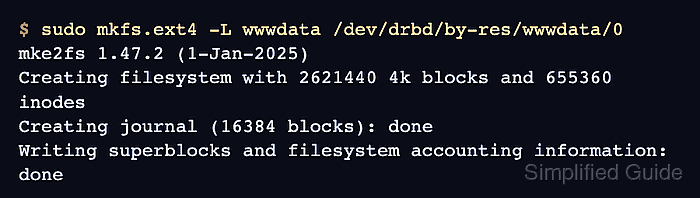
- Create the ext4 filesystem on the DRBD volume.
$ sudo mkfs.ext4 -L wwwdata /dev/drbd/by-res/wwwdata/0
mke2fs 1.47.2 (1-Jan-2025)
Creating filesystem with 2621440 4k blocks and 655360 inodes
Creating journal (16384 blocks): done
Writing superblocks and filesystem accounting information: done
This command overwrites the selected DRBD volume. Run it once on the intended Primary node, not separately on each peer.
- Verify the filesystem signature through the DRBD device.
$ sudo blkid /dev/drbd/by-res/wwwdata/0
/dev/drbd/by-res/wwwdata/0: LABEL="wwwdata" UUID="d007763d-183d-4b46-b851-b950bd7b7544" BLOCK_SIZE="4096" TYPE="ext4"
The UUID belongs to the filesystem on the DRBD device. Use this value only after confirming the device path points to the intended resource.
- Create the mount point.
$ sudo mkdir --parents /srv/wwwdata
- Mount the new filesystem.
$ sudo mount -t ext4 /dev/drbd/by-res/wwwdata/0 /srv/wwwdata
- Confirm the mount uses the DRBD device.
$ findmnt /srv/wwwdata --output TARGET,SOURCE,FSTYPE,OPTIONS
TARGET       SOURCE        FSTYPE OPTIONS
/srv/wwwdata /dev/drbd1000 ext4   rw,relatime
- Create a temporary write test file.
$ sudo touch /srv/wwwdata/drbd-write-test
- Verify the write test file.
$ ls -l /srv/wwwdata/drbd-write-test
-rw-r--r-- 1 root root 0 Jun 19 10:18 /srv/wwwdata/drbd-write-test
A successful file create on the mounted path proves the filesystem accepts writes through the Primary DRBD volume.
- Remove the write test file.
$ sudo rm /srv/wwwdata/drbd-write-test
- Unmount the test mount before returning the resource to a cluster manager.
$ sudo umount /srv/wwwdata
Keep the filesystem mounted only when this node should continue owning the application path manually. Cluster-managed resources should normally be mounted by the manager's filesystem resource.

Mohd Shakir Zakaria is a cloud architect with deep roots in software development and open-source advocacy. Certified in AWS, Red Hat, VMware, ITIL, and Linux, he specializes in designing and managing robust cloud and on-premises infrastructures.


