A locally built image is not usable by another host until it has a registry-qualified tag and has been pushed to a registry that the target environment can reach. Tagging chooses the destination name, while pushing uploads the image content under that reference.
Docker image references include an optional registry host, namespace, repository, and tag. A reference such as registry.example.com/team/app:1.0 tells Docker exactly where the image belongs and which version label should be pushed.
Authenticate before pushing to private registries, and verify the pushed tag from a clean pull or registry view before handing it to Compose, Swarm, Kubernetes, or another deployment system.
Related: How to build a Docker image
Related: How to log in to a Docker registry
Related: How to deploy a local Docker registry workflow
Steps to tag and push a Docker image:
- Confirm the local source image exists.
$ docker image ls sg-guide-app
REPOSITORY       TAG     IMAGE ID       SIZE
sg-guide-app     1.0     798a59f4ad85   120MB
- Log in to the registry when it requires authentication.
$ printf '%s
' "$REGISTRY_TOKEN" | docker login registry.example.com --username deploy-bot --password-stdin
Login Succeeded
Related: How to log in to a Docker registry
- Tag the image with the registry-qualified name.
$ docker image tag sg-guide-app:1.0 registry.example.com/team/sg-guide-app:1.0
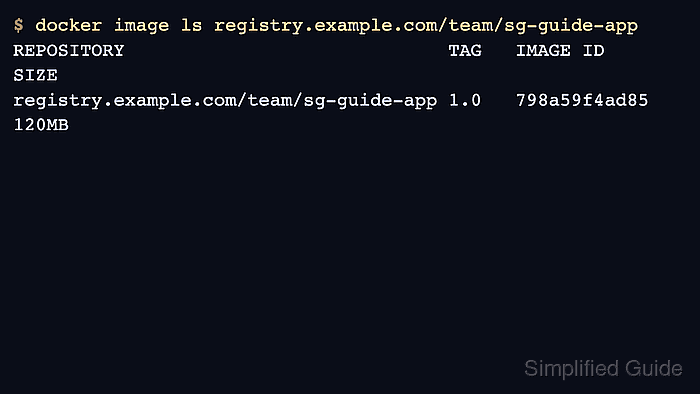
- Check the new tag before pushing.
$ docker image ls registry.example.com/team/sg-guide-app
REPOSITORY                                TAG     IMAGE ID       SIZE
registry.example.com/team/sg-guide-app    1.0     798a59f4ad85   120MB
- Push the tag to the registry.
$ docker image push registry.example.com/team/sg-guide-app:1.0
The push refers to repository [registry.example.com/team/sg-guide-app]
6f0c8b4b7d9e: Pushed
1.0: digest: sha256:2d5f... size: 856
- Pull the tag from another clean host or context to confirm registry availability.
$ docker --context prod image pull registry.example.com/team/sg-guide-app:1.0
1.0: Pulling from team/sg-guide-app
Digest: sha256:2d5f...
Status: Downloaded newer image for registry.example.com/team/sg-guide-app:1.0

Mohd Shakir Zakaria is a cloud architect with deep roots in software development and open-source advocacy. Certified in AWS, Red Hat, VMware, ITIL, and Linux, he specializes in designing and managing robust cloud and on-premises infrastructures.


