Private image pulls and pushes fail when the Docker client has no valid registry credential. Logging in stores an authentication token for the registry host, so later docker pull, docker push, Compose, or Swarm commands can reach private repositories.
docker login defaults to Docker Hub when no server is supplied. For a self-hosted registry, pass only the registry hostname and optional port, not a repository path or URL scheme.
Use --password-stdin for scripted logins so the token does not appear in shell history or process arguments. Store tokens in the platform credential helper or a CI secret store rather than in project files.
Related: How to tag and push a Docker image
Related: How to create a Docker context
Steps to log in to a Docker registry:
- Set the registry host and username for the current shell.
$ export REGISTRY_HOST=registry.example.com
$ export REGISTRY_USER=deploy-bot
- Provide the token through standard input.
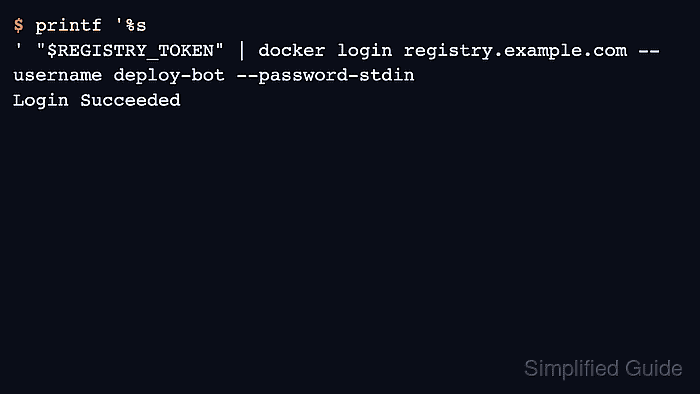
$ printf '%s
' "$REGISTRY_TOKEN" | docker login "$REGISTRY_HOST" --username "$REGISTRY_USER" --password-stdin
Login Succeeded
Do not paste the token directly after --password. Command-line arguments can be captured in shell history, logs, or process listings.
- Pull a known private image to prove the credential works.
$ docker image pull registry.example.com/team/app:1.0
1.0: Pulling from team/app
Digest: sha256:2d5f...
Status: Downloaded newer image for registry.example.com/team/app:1.0
- Push a test or release tag only when the account is supposed to have write permission.
$ docker image push registry.example.com/team/app:1.0
The push refers to repository [registry.example.com/team/app]
1.0: digest: sha256:2d5f... size: 856
Related: How to tag and push a Docker image
- Log out when the credential was temporary or used on a shared workstation.
$ docker logout registry.example.com
Removing login credentials for registry.example.com

Mohd Shakir Zakaria is a cloud architect with deep roots in software development and open-source advocacy. Certified in AWS, Red Hat, VMware, ITIL, and Linux, he specializes in designing and managing robust cloud and on-premises infrastructures.


