A local Docker registry gives a host or small team a private place to keep build outputs close to the deployment path. Keeping images on the local network reduces repeated pulls from public registries and makes it easier to promote the exact image tag that was already tested.
The workflow below runs the official registry:3 container with persistent storage in a Docker volume, then pushes and pulls a small image through localhost:5000. The registry API stays on container port 5000, and Docker treats a tag that starts with localhost:5000 as a registry destination instead of a normal repository name.
This localhost-only pattern fits development hosts, build boxes, and small lab environments. If host port 5000 is already in use, only the host side of the published port changes, and every later tag, push, and pull command must use that same replacement port; other hosts on the network should use TLS before relying on the registry.
Steps to deploy a local Docker registry workflow:
- Create a named volume for the registry data directory.
$ docker volume create local-registry-data
local-registry-data
The named volume keeps pushed image layers and tags available even if the registry container is removed and recreated.
- Start the registry container with the local port, restart policy, and persistent volume attached.
$ docker run --detach --publish 5000:5000 --restart always --name local-registry --env OTEL_TRACES_EXPORTER=none --volume local-registry-data:/var/lib/registry registry:3
8ab8ce40510e5a9bd8243cc320fb1fe84524936a91adfc734daf81fdc30eb570
The OTEL_TRACES_EXPORTER=none setting keeps a one-node local registry from attempting trace export to a collector that is not part of this workflow.
If host port 5000 is already occupied, change only the host side of –publish such as 5001:5000 and then use that same host port in every later localhost:<port> image reference.
- Confirm that the registry container is running and listening on the published local port.
$ docker ps --filter name=local-registry
CONTAINER ID   IMAGE        COMMAND                  CREATED         STATUS         PORTS                                         NAMES
8ab8ce40510e   registry:3   "/entrypoint.sh /etc…"   2 minutes ago   Up 2 minutes   0.0.0.0:5000->5000/tcp, [::]:5000->5000/tcp   local-registry
The left side of the port mapping is the host port that later tag, push, and pull commands must use.
- Pull a small test image that will be copied into the local registry.
$ docker image pull busybox:latest
latest: Pulling from library/busybox
Digest: sha256:1487d0af5f52b4ba31c7e465126ee2123fe3f2305d638e7827681e7cf6c83d5e
Status: Downloaded newer image for busybox:latest
docker.io/library/busybox:latest
- Add a local registry tag to the pulled image.
$ docker image tag busybox:latest localhost:5000/demo/busybox:latest
When the image name starts with localhost:5000, Docker treats that prefix as the registry endpoint and everything after it as the repository path stored in that registry.
- Push the tagged image into the local registry.
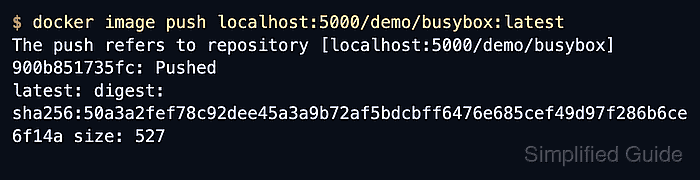
$ docker image push localhost:5000/demo/busybox:latest
The push refers to repository [localhost:5000/demo/busybox]
900b851735fc: Pushed
latest: digest: sha256:50a3a2fef78c92dee45a3a9b72af5bdcbff6476e685cef49d97f286b6ce6f14a size: 527
The digest confirms the registry accepted the image manifest and the layer set behind the tag.
- Remove both local image tags so the next pull has to come back from the registry instead of the local cache.
$ docker image remove localhost:5000/demo/busybox:latest busybox:latest
Untagged: localhost:5000/demo/busybox:latest
Untagged: localhost:5000/demo/busybox@sha256:50a3a2fef78c92dee45a3a9b72af5bdcbff6476e685cef49d97f286b6ce6f14a
Untagged: busybox:latest
Removing the tags from the host does not delete the image that was already pushed into the registry volume.
- Pull the image back from the local registry to prove the workflow completed successfully.
$ docker image pull localhost:5000/demo/busybox:latest
latest: Pulling from demo/busybox
Digest: sha256:50a3a2fef78c92dee45a3a9b72af5bdcbff6476e685cef49d97f286b6ce6f14a
Status: Downloaded newer image for localhost:5000/demo/busybox:latest
localhost:5000/demo/busybox:latest
A successful pull here proves the registry is reachable, the repository path is correct, and the pushed image can be reused by later Docker workflows on the same host.

Mohd Shakir Zakaria is a cloud architect with deep roots in software development and open-source advocacy. Certified in AWS, Red Hat, VMware, ITIL, and Linux, he specializes in designing and managing robust cloud and on-premises infrastructures.


