Running Detox tests starts a configured mobile end-to-end suite against the simulator, emulator, or attached device named in the project config. It belongs after the app binary and test files are ready, when a developer needs to confirm that user-facing flows still pass before a merge, release, or CI handoff.
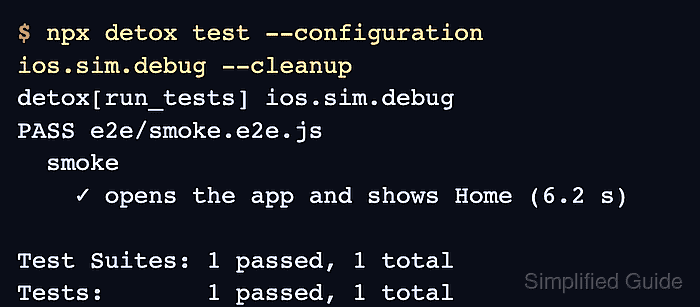
detox test reads .detoxrc.js or the detox section in package.json, selects the configuration passed with --configuration, and delegates the test files to the configured runner such as Jest. The selected configuration controls the app binary, device type, and any start scripts that run before the suite.
A full-suite run gives the clearest signal for the chosen configuration, and a single test file is better when isolating one failing flow. A passing run ends with a PASS summary, while failures should be reviewed with saved logs, screenshots, or view hierarchy artifacts before extra retries or timeout changes are added.
Related: How to configure Detox build settings
Related: How to run Detox tests locally
Related: How to retry failed Detox tests
Related: How to save Detox result bundles
Steps to run Detox tests:
- Open a terminal in the project root that contains the Detox config.
- Confirm the target configuration name.
- .detoxrc.js
module.exports = {
  configurations: {
    'ios.sim.debug': {
      device: 'simulator',
      app: 'ios.debug'
    }
  }
};
If the project has one configuration, Detox can choose it by default. Naming the configuration avoids running the wrong app binary or device target when more configurations are added.
Related: How to create a Detox test configuration - Build the app binary when it is missing or stale.
$ npx detox build --configuration ios.sim.debug --if-missing
detox[build] xcodebuild -workspace ios/MyApp.xcworkspace -scheme MyApp -configuration Debug -sdk iphonesimulator -derivedDataPath ios/build
##### snipped #####
** BUILD SUCCEEDED **
The build command comes from the selected app entry in the Detox config. Use the matching Android configuration when the target is an emulator APK.
Related: How to configure Detox build settings - Run the full Detox suite for the selected configuration.
$ npx detox test --configuration ios.sim.debug --cleanup
detox[run_tests] ios.sim.debug
PASS e2e/smoke.e2e.js
  smoke
    ✓ opens the app and shows Home (6.2 s)

Test Suites: 1 passed, 1 total
Tests:       1 passed, 1 total
--cleanup shuts down the simulator after the run. Add failure-only logs or screenshots when the result needs saved evidence.
Related: How to save Detox result bundles - Run one test file for a focused rerun.
$ npx detox test --configuration ios.sim.debug --cleanup e2e/login.e2e.js
detox[run_tests] ios.sim.debug
PASS e2e/login.e2e.js
  login
    ✓ signs in with a seeded test account (5.8 s)

Test Suites: 1 passed, 1 total
Tests:       1 passed, 1 total
Use the same configuration as the failed full-suite run so the app binary, device, and start scripts stay comparable.
- Pass runner-specific options after the reserved separator.
$ npx detox test --configuration ios.sim.debug --cleanup -- --runInBand
detox[run_tests] ios.sim.debug
PASS e2e/smoke.e2e.js
  smoke
    ✓ opens the app and shows Home (6.0 s)

Test Suites: 1 passed, 1 total
Tests:       1 passed, 1 total
Detox handles its own options before -- and forwards the remaining flags to the test runner. Use this for Jest flags only when the runner option belongs to the rerun.
Related: How to retry failed Detox tests

Mohd Shakir Zakaria is a cloud architect with deep roots in software development and open-source advocacy. Certified in AWS, Red Hat, VMware, ITIL, and Linux, he specializes in designing and managing robust cloud and on-premises infrastructures.


