Stabilizing selectors in Detox tests gives each important app control a durable identifier and matches it with by.id() instead of visible text, labels, or list position. It reduces failures when copy changes, localization is enabled, or a screen layout moves while the same user action still exists.
In React Native apps, a testID only helps Detox after it reaches a native component such as View, Text, TextInput, or TouchableOpacity. Custom components should accept the prop and forward it to the rendered native element so by.id() can find the accessibility identifier in the app hierarchy.
Repeated rows, child controls, and reusable components need IDs that stay unique across the screen. A focused selector test should still tap the same control and assert the same app state after button text, translated strings, or row order changes.
Related: How to write a first Detox test
Related: How to wait for UI elements in Detox
Related: How to debug flaky Detox tests
Steps to stabilize Detox selectors:
- Choose one naming pattern for screen-scoped test IDs.
AUTH.LOGIN.EMAIL_INPUT
AUTH.LOGIN.PASSWORD_INPUT
AUTH.LOGIN.SUBMIT_BUTTON
AUTH.LOGIN.ERROR_MESSAGE
Keep selectors tied to the screen and control purpose, not to visible labels such as Sign in or Submit.
- Add testID props to the controls that the test must read or operate.
- LoginScreen.jsx
export function LoginScreen() {
  return (
    <View testID="AUTH.LOGIN.SCREEN">
      <TextInput
        testID="AUTH.LOGIN.EMAIL_INPUT"
        accessibilityLabel="Email address"
      />
      <TextInput
        testID="AUTH.LOGIN.PASSWORD_INPUT"
        accessibilityLabel="Password"
        secureTextEntry
      />
      <TouchableOpacity testID="AUTH.LOGIN.SUBMIT_BUTTON">
        <Text>Sign in</Text>
      </TouchableOpacity>
    </View>
  );
}
accessibilityLabel remains useful for assistive technology. Keep testID separate so a copy or localization change does not change the test selector.
- Forward testID through custom components before matching them in Detox.
- PrimaryButton.jsx
export function PrimaryButton({ testID, title, onPress }) {
  return (
    <TouchableOpacity testID={testID} onPress={onPress}>
      <Text>{title}</Text>
    </TouchableOpacity>
  );
}
Passing testID to a custom component has no effect until that component forwards it to a native component in its rendered output.
- Derive child IDs from the parent component ID when the test needs to target a nested element.
- AccountCard.jsx
export function AccountCard({ testID, account }) {
  return (
    <View testID={testID}>
      <Text testID={`${testID}.NAME`}>{account.name}</Text>
      <TouchableOpacity testID={`${testID}.OPEN_BUTTON`}>
        <Text>Open</Text>
      </TouchableOpacity>
    </View>
  );
}
Derived IDs keep related controls grouped without forcing Detox to combine withAncestor() or atIndex() matchers for routine taps.
- Give repeated rows unique IDs from stable data.
- AccountList.jsx
<FlatList
  data={accounts}
  keyExtractor={(item) => item.id}
  renderItem={({ item }) => (
    <AccountCard
      testID={`ACCOUNT_LIST.ROW.${item.id}`}
      account={item}
    />
  )}
/>
Use a durable record key when row order can change. A fixed index-based ID is acceptable only for static lists whose order is part of the UI contract.
- Replace text, label, and index-heavy matchers with by.id() selectors.
- e2e/login.e2e.js
describe('login selectors', () => {
  beforeEach(async () => {
    await device.launchApp({ newInstance: true });
  });

  it('signs in with test IDs', async () => {
    await expect(element(by.id('AUTH.LOGIN.SCREEN'))).toBeVisible();
    await element(by.id('AUTH.LOGIN.EMAIL_INPUT')).typeText('user@example.net');
    await element(by.id('AUTH.LOGIN.PASSWORD_INPUT')).typeText('ExamplePassw0rd!');
    await element(by.id('AUTH.LOGIN.SUBMIT_BUTTON')).tap();
    await expect(element(by.id('ACCOUNT.HOME.SCREEN'))).toBeVisible();
  });
});
Keep by.text() for assertions that intentionally verify displayed copy. Use by.id() for the control lookup that should survive copy and locale changes.
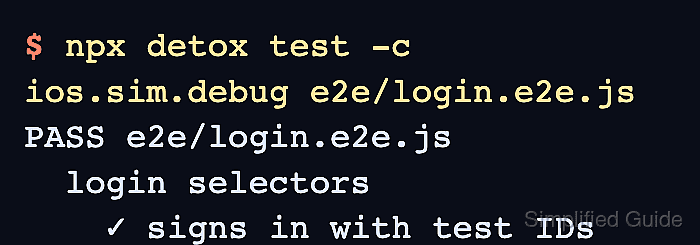
- Run the focused Detox suite against the selected configuration.
$ npx detox test -c ios.sim.debug e2e/login.e2e.js
PASS e2e/login.e2e.js
  login selectors
    ✓ signs in with test IDs (8.7 s)
Replace ios.sim.debug with the configuration name from .detoxrc.js. A real run still requires the project build, simulator, and app state used by the local Detox setup.
Related: How to run Detox tests locally - Fix missing IDs before adding waits or retries.
DetoxRuntimeError: Test Failed: No elements found for matcher: by.id("AUTH.LOGIN.SUBMIT_BUTTON")If the expected control is visible but Detox cannot match it by ID, inspect the component tree and confirm that testID reaches the native element. Add waitFor() only when the ID exists and the screen genuinely appears later.
Related: How to wait for UI elements in Detox

Mohd Shakir Zakaria is a cloud architect with deep roots in software development and open-source advocacy. Certified in AWS, Red Hat, VMware, ITIL, and Linux, he specializes in designing and managing robust cloud and on-premises infrastructures.


