Flaky Detox tests pass in one run and fail in another without a code change, so debugging starts by capturing one focused failing rerun instead of guessing at waits or retries. A failure artifact run keeps the matcher error, synchronization state, screenshot, video, and device log tied to the same app attempt.
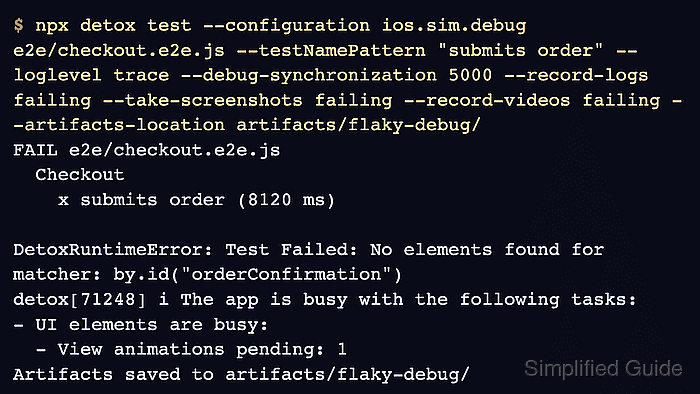
The detox test command can narrow the run to one spec while enabling trace logs, failure-only media, and an earlier synchronization report. Use the same configuration, test file, and test name that failed in CI or during local development so the captured evidence matches the original symptom.
Treat the artifact folder as a small evidence bundle. Read the first repeated failure signal, apply one change that matches that signal, and rerun the same test before changing retries, global timeouts, or unrelated selectors.
Related: How to save Detox test artifacts
Related: How to debug Detox synchronization timeouts
Related: How to debug Detox tests with the REPL
Steps to debug flaky Detox tests:
- Re-run the failing Detox spec with trace logs and failure artifacts.
$ npx detox test --configuration ios.sim.debug e2e/checkout.e2e.js --testNamePattern "submits order" --loglevel trace --debug-synchronization 5000 --record-logs failing --take-screenshots failing --video-records failing --artifacts-location artifacts/flaky-debug/
FAIL e2e/checkout.e2e.js
  Checkout
    x submits order (8120 ms)

DetoxRuntimeError: Test Failed: No elements found for matcher: by.id("orderConfirmation")
detox[71248] i The app is busy with the following tasks:
- UI elements are busy:
  - View animations pending: 1
Artifacts saved to artifacts/flaky-debug/
The trailing slash on --artifacts-location keeps this diagnostic run directly in the named folder instead of adding a timestamped child directory.
- List the files captured for the failing test.
$ find artifacts/flaky-debug -type f
artifacts/flaky-debug/detox.log
artifacts/flaky-debug/device.log
artifacts/flaky-debug/Checkout submits order/afterEach.png
artifacts/flaky-debug/Checkout submits order/test.mp4
Keep the log, screenshot, and video from the same run together. Mixing artifacts from different attempts can point at the wrong cause.
- Locate the failing matcher in the Detox log.
$ grep -R -n "No elements found" artifacts/flaky-debug/ artifacts/flaky-debug/detox.log:214:DetoxRuntimeError: Test Failed: No elements found for matcher: by.id("orderConfirmation") - Check the device log for an app-side error near the same failure.
$ grep -R -n "Checkout" artifacts/flaky-debug/device.log
artifacts/flaky-debug/device.log:1542:CheckoutService request completed
artifacts/flaky-debug/device.log:1543:CheckoutScreen waiting for confirmation render
If the device log shows a server error, parser error, crash, or unhandled promise rejection, fix that app path before adding waits to the test.
- Record the failure signature before changing the test.
- flaky-checkout-note.txt
Test: e2e/checkout.e2e.js - submits order
Failure: No elements found for by.id("orderConfirmation")
Synchronization signal: View animations pending
Screenshot state: checkout screen remains on the loading state
Device log: checkout request completed, confirmation render pending
Next change: wait for orderConfirmation before asserting visibility
- Apply one stabilization change that matches the captured signal.
- e2e/checkout.e2e.js
await element(by.id('submitOrder')).tap();
await waitFor(element(by.id('orderConfirmation')))
  .toBeVisible()
  .withTimeout(8000);
await expect(element(by.id('orderConfirmation'))).toBeVisible();
Use waitFor() when the expected element appears late. If the artifacts show a missing testID, update the selector target instead; if they show an endless busy resource, debug synchronization first.
Related: How to wait for UI elements in Detox
Related: How to stabilize selectors in Detox tests
Related: How to debug Detox synchronization timeouts - Re-run the same spec after the focused change.
$ npx detox test --configuration ios.sim.debug e2e/checkout.e2e.js --testNamePattern "submits order" --record-logs failing --take-screenshots failing --artifacts-location artifacts/flaky-debug-fixed/
PASS e2e/checkout.e2e.js
  Checkout
    PASS submits order (6421 ms)

Test Suites: 1 passed, 1 total
Tests:       1 passed, 1 total
The passing rerun only proves that this failure signature is gone for the selected spec. Keep the failing and fixed artifact folders until the change is reviewed.

Mohd Shakir Zakaria is a cloud architect with deep roots in software development and open-source advocacy. Certified in AWS, Red Hat, VMware, ITIL, and Linux, he specializes in designing and managing robust cloud and on-premises infrastructures.


