Waiting for UI elements in Detox gives an asynchronous screen enough time to render before the next assertion or tap. It fits login redirects, delayed API responses, animated transitions, and virtualized lists where the app is still moving toward the expected state.
Detox already synchronizes with many native and JavaScript resources, so a wait belongs around a specific UI condition instead of around every command. The usual pattern is waitFor(element(by.id('…'))) followed by an expectation such as toBeVisible() and withTimeout().
Use waits after a user action that changes screens, reveals a delayed component, or requires scrolling. If the matcher cannot find the element even after a generous timeout, fix the testID or app state first; a wait cannot repair a missing selector.
Related: How to write a first Detox test
Related: How to debug Detox tests with the REPL
Related: How to debug flaky Detox tests
Steps to wait for UI elements in Detox tests:
- Confirm that the delayed element exposes a native testID.
- CheckoutSuccess.jsx
export function CheckoutSuccess() {
  return (
    <View testID="CHECKOUT.SUCCESS_SCREEN">
      <Text testID="CHECKOUT.SUCCESS_MESSAGE">
        Payment complete
      </Text>
    </View>
  );
}
by.id() matches the native accessibility identifier produced by testID in React Native. Forward testID through custom components before waiting on them.
Related: How to stabilize selectors in Detox tests - Place the visible-state wait after the action that reveals the element.
- e2e/checkout.e2e.js
await element(by.id('CHECKOUT.PAY_BUTTON')).tap();

await waitFor(element(by.id('CHECKOUT.SUCCESS_MESSAGE')))
  .toBeVisible()
  .withTimeout(8000);
withTimeout(8000) waits up to eight seconds before failing the expectation. Use a timeout that matches the screen's real app-side delay, not a blanket value copied across every test.
- Wait for the text when visibility alone does not prove the screen state.
- e2e/checkout.e2e.js
await waitFor(element(by.id('CHECKOUT.SUCCESS_MESSAGE')))
  .toHaveText('Payment complete')
  .withTimeout(8000);
Use toBeVisible() for appearance, toExist() for hierarchy presence, and toHaveText() when the element may appear before its final text is rendered.
- Scroll inside the owning scroll view when the target may start off-screen.
- e2e/settings.e2e.js
await waitFor(element(by.id('SETTINGS.DELETE_ACCOUNT_BUTTON')))
  .toBeVisible()
  .whileElement(by.id('SETTINGS.SCROLL_VIEW'))
  .scroll(80, 'down');
whileElement() keeps scrolling the named scroll view until the expectation resolves or the scroll edge is reached.
- Wait for transient loading UI to disappear before asserting the final screen.
- e2e/checkout.e2e.js
await waitFor(element(by.id('CHECKOUT.LOADING_SPINNER')))
  .not.toExist()
  .withTimeout(8000);

await expect(element(by.id('CHECKOUT.SUCCESS_MESSAGE'))).toBeVisible();
Use disappearance waits only for UI that really leaves the hierarchy. If a loader remains mounted but hidden, wait with not.toBeVisible() instead.
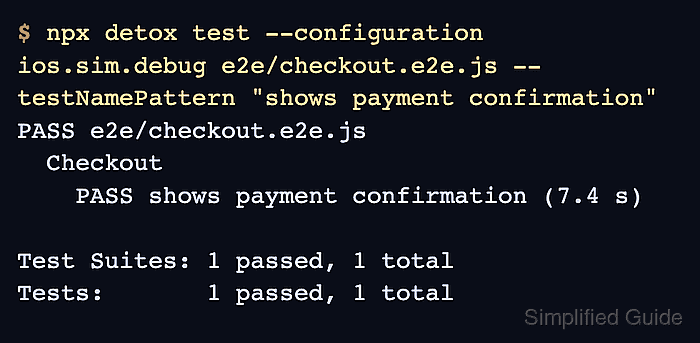
- Run the focused Detox spec against the selected configuration.
$ npx detox test --configuration ios.sim.debug e2e/checkout.e2e.js --testNamePattern "shows payment confirmation"
PASS e2e/checkout.e2e.js
  Checkout
    PASS shows payment confirmation (7.4 s)

Test Suites: 1 passed, 1 total
Tests:       1 passed, 1 total
Replace ios.sim.debug with a configuration from .detoxrc.js. A real run still needs a built app and a bootable simulator or emulator.
Related: How to run Detox tests locally - Debug synchronization instead of raising the timeout when Detox reports a busy app.
detox[71248] i The app is busy with the following tasks:
- UI elements are busy:
  - View animations pending: 1
  - Layers pending animations: 2

DetoxRuntimeError: Test Failed: Timeout reached while waiting for expectation to match
A busy-resource block points to app work that prevents the wait from completing. Fix the endless animation, timer, request, or missing state transition before increasing the wait across the suite.
Related: How to debug Detox synchronization timeouts

Mohd Shakir Zakaria is a cloud architect with deep roots in software development and open-source advocacy. Certified in AWS, Red Hat, VMware, ITIL, and Linux, he specializes in designing and managing robust cloud and on-premises infrastructures.


