Testing a release build with Detox runs the app flavor that will ship to users instead of the debug binary used during everyday end-to-end work. This catches release-only failures such as missing bundled assets, minification side effects, signing differences, and configuration values that only exist in the release target.
Detox selects the app and device through a named configuration in the project config file. The release configuration should resolve to a release binary path and a build command that produces that binary before detox test installs it on the simulator or emulator.
Use a real project, simulator or emulator, and test runner for this check; a generic shell can verify Detox CLI options but cannot prove a mobile release binary. Keep --reuse out of the validation run so Detox installs the binary produced by the release build command.
Related: How to set up Detox in a React Native project
Related: How to configure Detox build settings
Related: How to run Detox tests
Steps to test a release build with Detox:
- Review the release configuration name and app mapping before running the build.
module.exports = {
  apps: {
    'ios.release': {
      type: 'ios.app',
      binaryPath: 'ios/build/Build/Products/Release-iphonesimulator/MyApp.app',
      build: 'xcodebuild -workspace ios/MyApp.xcworkspace -scheme MyApp -configuration Release -sdk iphonesimulator -derivedDataPath ios/build'
    }
  },
  devices: {
    simulator: {
      type: 'ios.simulator',
      device: { type: 'iPhone 15' }
    }
  },
  configurations: {
    'ios.sim.release': {
      device: 'simulator',
      app: 'ios.release'
    }
  }
};
Use the matching Android release configuration name when the release binary is an APK; the Detox command stays the same once the configuration is selected.
- Build the release binary for the selected configuration.
$ npx detox build --configuration ios.sim.release
detox[build] xcodebuild -workspace ios/MyApp.xcworkspace -scheme MyApp -configuration Release -sdk iphonesimulator -derivedDataPath ios/build
** BUILD SUCCEEDED **
Add --if-missing only for repeat checks where an existing release binary is acceptable. Leave it off when the task is to prove a fresh release build.
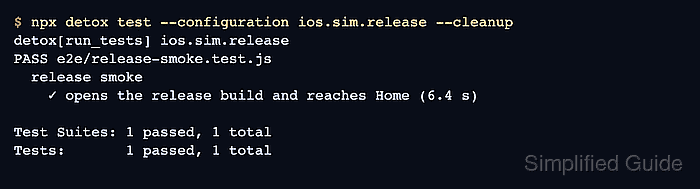
- Run the Detox suite against the release configuration.
$ npx detox test --configuration ios.sim.release --cleanup
detox[run_tests] ios.sim.release
PASS e2e/release-smoke.test.js
  release smoke
    ✓ opens the release build and reaches Home (6.4 s)

Test Suites: 1 passed, 1 total
Tests:       1 passed, 1 total
--cleanup shuts down the simulator after the run. Add --headless for CI jobs that should launch the device without a visible simulator window.
- Check the test-run summary before accepting the release build.
PASS e2e/release-smoke.test.js
Test Suites: 1 passed, 1 total
Tests:       1 passed, 1 total
A passing debug configuration does not prove the release binary. The configuration name in the summary must be the release target used for the build.

Mohd Shakir Zakaria is a cloud architect with deep roots in software development and open-source advocacy. Certified in AWS, Red Hat, VMware, ITIL, and Linux, he specializes in designing and managing robust cloud and on-premises infrastructures.


