Launch arguments in Detox tests pass runtime values into the app as it starts. They are useful for test-only settings such as mock-server ports, seeded account modes, feature flags, or debug screens that must change without rebuilding the app binary.
Detox accepts launch arguments from static app config, the --app-launch-args CLI option, device.appLaunchArgs, and the launchArgs object passed to device.launchApp(). Per-test values belong in the explicit launch call because the spec shows exactly which runtime setting the assertion depends on.
A React Native app can read the values with react-native-launch-arguments, while native apps can read the iOS process arguments or Android intent bundle extras directly. Keep the app-side reader scoped to E2E or debug-only code when the values expose local ports, mock toggles, or other test harness details.
Related: How to create a Detox test configuration
Related: How to write a first Detox test
Related: How to run Detox tests
Related: How to reset test data before Detox tests
Steps to pass launch arguments in Detox tests:
- Install the React Native launch argument reader in the app project.
$ npm install react-native-launch-arguments
added 1 package, and audited 588 packages in 2s
Use the app's existing native launch-argument reader instead when the project is not React Native. iOS React Native projects may also need pod install after adding a new native module.
- Create a small app-side helper for the E2E values.
- src/e2eLaunchArgs.js
import { LaunchArguments } from 'react-native-launch-arguments';

export function getE2ELaunchArgs() {
  const args = LaunchArguments.value();

  return {
    e2eMode: args.e2eMode === true || args.e2eMode === 'true',
    mockServerPort: String(args.mockServerPort || ''),
  };
}
The helper copies only the values the app is allowed to use during E2E runs. Avoid exposing unrelated Detox internal values or sensitive runtime settings.
- Render one test-visible value from the launch arguments.
- src/E2EDebugPanel.jsx
import React from 'react';
import { Text, View } from 'react-native';
import { getE2ELaunchArgs } from './e2eLaunchArgs';

export function E2EDebugPanel() {
  const e2eArgs = getE2ELaunchArgs();

  if (!e2eArgs.e2eMode) {
    return null;
  }

  return (
    <View testID="E2E.LAUNCH_ARGS">
      <Text testID="E2E.MOCK_SERVER_PORT">
        {e2eArgs.mockServerPort || 'unset'}
      </Text>
    </View>
  );
}
Mount this panel only in a debug, test, or otherwise guarded app surface. Launch arguments often contain local ports or test toggles that should not appear in production UI.
- Create a focused Detox spec that launches the app with per-test arguments.
- e2e/launch-args.e2e.js
describe('launch arguments', () => {
  it('passes mock server port to the app', async () => {
    await device.launchApp({
      newInstance: true,
      launchArgs: {
        e2eMode: true,
        mockServerPort: '4571',
      },
    });

    await expect(element(by.id('E2E.LAUNCH_ARGS'))).toBeVisible();
    await expect(element(by.id('E2E.MOCK_SERVER_PORT'))).toHaveText('4571');
  });
});
Static launchArgs in .detoxrc.js and --app-launch-args are better for run-wide defaults. Use device.appLaunchArgs.modify() when a suite needs to update pending launch arguments before a later device.launchApp() call, and use per-call launchArgs when the value changes by test.
Related: How to write a first Detox test - Run the focused launch-argument spec.
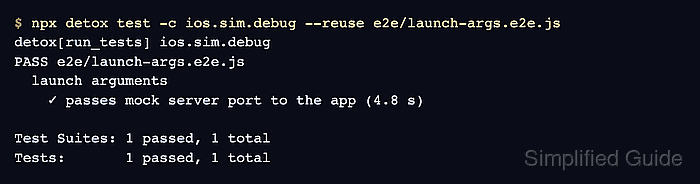
$ npx detox test -c ios.sim.debug --reuse e2e/launch-args.e2e.js
detox[run_tests] ios.sim.debug
PASS e2e/launch-args.e2e.js
  launch arguments
    ✓ passes mock server port to the app (4.8 s)

Test Suites: 1 passed, 1 total
Tests:       1 passed, 1 total
Replace ios.sim.debug with the project's Detox configuration. Remove --reuse after changing native code, adding the launch-argument reader, or rebuilding the app binary.
Related: How to run Detox tests

Mohd Shakir Zakaria is a cloud architect with deep roots in software development and open-source advocacy. Certified in AWS, Red Hat, VMware, ITIL, and Linux, he specializes in designing and managing robust cloud and on-premises infrastructures.


