Resetting test data before Detox tests gives each mobile end-to-end case the same app and backend starting state. It prevents one test's login, cart, profile, or feature-flag changes from becoming hidden input for the next simulator or emulator run.
Detox can clear app-local state through device.launchApp({ resetAppState: true }), while server-side records usually need a test-only reset hook owned by the app team. Running both resets from beforeEach keeps the app sandbox, launch arguments, and seeded backend records aligned before the first assertion.
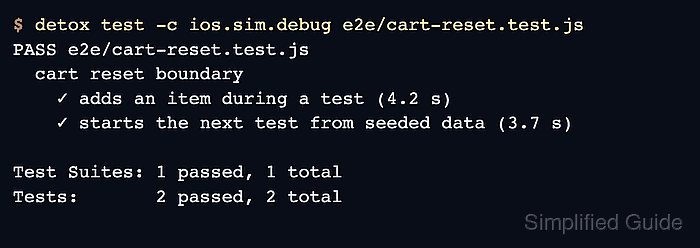
Expose reset hooks only in test environments and protect them from production traffic. A passing spec that mutates data in one test and starts the next test from the seeded state proves that the reset boundary covers the app and the backing data source.
Related: How to use launch arguments in Detox tests
Related: network-response-mock
Related: How to run Detox tests
Steps to reset test data before Detox tests:
- Add a test-only reset endpoint or helper to the app's test backend.
- server/e2eResetRoute.js
if (process.env.E2E_TESTS === 'true') {
  app.post('/__e2e__/reset', async (req, res) => {
    await db.reset();
    await db.seed({
      user: 'e2e-user@example.net',
      cartItems: []
    });

    res.status(204).end();
  });
}
Never expose this route from a production build or production backend. A reset hook can delete or overwrite data that real users depend on.
- Start the test backend with the reset route enabled.
$ E2E_TESTS=true npm run api:e2e
API listening on http://localhost:3001
Reset route enabled at /__e2e__/reset
Replace npm run api:e2e with the project's real test-backend startup command. Keep the reset route on a private local or CI network.
- Create a Detox reset helper that calls the test reset endpoint.
- e2e/helpers/resetTestData.js
const resetUrl = process.env.E2E_RESET_URL || 'http://localhost:3001/__e2e__/reset';

async function resetTestData() {
  const response = await fetch(resetUrl, { method: 'POST' });

  if (!response.ok) {
    throw new Error(`Test data reset failed with HTTP ${response.status}`);
  }
}

module.exports = { resetTestData };
Use a CI secret or local environment variable for any reset token. Do not commit real reset credentials, tenant IDs, or account names into the test helper.
- Reset backend data and app-local state from beforeEach.
- e2e/cart-reset.test.js
const { resetTestData } = require('./helpers/resetTestData');

describe('cart reset boundary', () => {
  beforeEach(async () => {
    await resetTestData();
    await device.launchApp({
      resetAppState: true,
      launchArgs: {
        apiBaseUrl: process.env.E2E_API_URL || 'http://localhost:3001',
        e2e: 'true'
      }
    });
  });
});
Use an API base URL reachable from the selected device. iOS Simulator can usually reach the Mac with http://localhost:3001, while Android Emulator commonly needs http://10.0.2.2:3001.
Related: How to use launch arguments in Detox tests - Add one test that changes seeded data and one test that checks the next reset.
- e2e/cart-reset.test.js
it('adds an item during a test', async () => {
  await element(by.id('catalog-item-coffee')).tap();
  await element(by.id('add-to-cart')).tap();
  await expect(element(by.id('cart-count'))).toHaveText('1');
});

it('starts the next test from seeded data', async () => {
  await expect(element(by.id('cart-count'))).toHaveText('0');
  await expect(element(by.id('signed-in-user'))).toHaveText('e2e-user@example.net');
});
The second test intentionally follows a mutating test so the reset boundary can be proven in one spec file. Keep ordinary business assertions independent of execution order.
- Run the reset-boundary spec.
$ detox test -c ios.sim.debug e2e/cart-reset.test.js
PASS e2e/cart-reset.test.js
  cart reset boundary
    ✓ adds an item during a test (4.2 s)
    ✓ starts the next test from seeded data (3.7 s)

Test Suites: 1 passed, 1 total
Tests:       2 passed, 2 total
Run the same Detox configuration used by the rest of the suite. For debug builds, keep Metro and the test backend running before starting the spec.
Related: How to run Detox tests

Mohd Shakir Zakaria is a cloud architect with deep roots in software development and open-source advocacy. Certified in AWS, Red Hat, VMware, ITIL, and Linux, he specializes in designing and managing robust cloud and on-premises infrastructures.


