Generating a JUnit report from Detox tests gives CI systems and test dashboards a machine-readable XML result instead of only console output. It fits a mobile end-to-end suite that already runs through Jest and needs pass, failure, and testcase data saved after the simulator or emulator run.
Detox launches the app and device layer, then delegates the test run to the configured test runner. The default Detox project setup uses Jest, so the report is produced by adding the jest-junit reporter to the same Jest config that detox test already uses.
Keep the Detox artifact directory and the JUnit XML directory separate. Detox logs and screenshots help debug the mobile session, while reports/junit/detox-junit.xml is the small XML file most CI systems import as structured test results.
Related: How to run Detox tests locally
Related: How to run Detox tests in GitHub Actions
Related: How to save Detox test artifacts
Steps to generate a JUnit report from Detox tests:
- Install the Jest JUnit reporter in the project.
$ npm install --save-dev jest-junit
- Add the jest-junit reporter to the Jest config used by Detox.
- e2e/jest.config.js
module.exports = {
  rootDir: '..',
  testMatch: ['<rootDir>/e2e/**/*.test.js'],
  reporters: [
    'default',
    [
      'jest-junit',
      {
        outputDirectory: 'reports/junit',
        outputName: 'detox-junit.xml',
      },
    ],
  ],
};
Keep existing setupFilesAfterEnv, testEnvironment, testTimeout, and maxWorkers settings from the project config. The rootDir entry keeps paths rooted at the project directory when the config file lives under e2e/.
- Confirm Detox points at that Jest config.
- .detoxrc.js
/** @type {Detox.DetoxConfig} */
module.exports = {
  testRunner: {
    args: {
      $0: 'jest',
      config: 'e2e/jest.config.js',
    },
  },
};
If the project already has testRunner.args.config, update that existing value instead of replacing the rest of the Detox configuration.
- Run the Detox test that should create the report.
$ npx detox test --configuration ios.sim.debug --cleanup e2e/smoke.test.js
detox[run_tests] ios.sim.debug
PASS e2e/smoke.test.js
  smoke
    ✓ opens Home (6.4 s)

Test Suites: 1 passed, 1 total
Tests:       1 passed, 1 total
Replace ios.sim.debug and e2e/smoke.test.js with the project configuration and spec path. Use -- before extra Jest flags when a flag name could conflict with a detox test option.
- Check that the JUnit XML file was written.
$ test -s reports/junit/detox-junit.xml
No output means the file exists and is not empty.
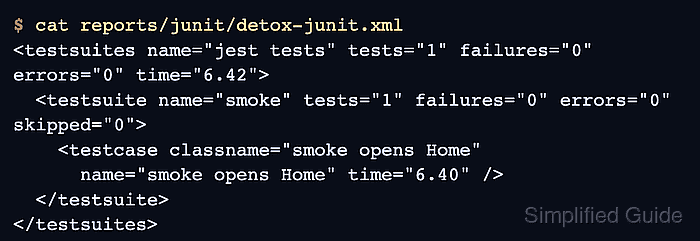
- Inspect the XML summary before wiring it into CI.
$ cat reports/junit/detox-junit.xml
<testsuites name="jest tests" tests="1" failures="0" errors="0" time="6.42">
  <testsuite name="smoke" tests="1" failures="0" errors="0" skipped="0">
    <testcase classname="smoke opens Home"
      name="smoke opens Home" time="6.40" />
  </testsuite>
</testsuites>
Upload reports/junit/detox-junit.xml as a test report in CI, and keep artifacts/detox for logs, screenshots, and videos.
Related: How to run Detox tests in GitHub Actions
Related: How to save Detox test artifacts
Tool: JUnit Test Report Analyzer

Mohd Shakir Zakaria is a cloud architect with deep roots in software development and open-source advocacy. Certified in AWS, Red Hat, VMware, ITIL, and Linux, he specializes in designing and managing robust cloud and on-premises infrastructures.


