Handling biometric prompts in Detox lets an iOS simulator test approve or reject Face ID or Touch ID without a manual click. This matters when login, payment, or keychain flows call LocalAuthentication and the suite needs the app's post-authentication screen state.
Detox exposes biometric control through the device API. setBiometricEnrollment() toggles whether the simulator has enrolled biometrics, while matchFace(), unmatchFace(), matchFinger(), and unmatchFinger() answer the active biometric prompt.
The app still owns the UI that opens the prompt and displays the result. Keep the test focused on one biometric screen, use neutral test IDs for the trigger and result states, and run the spec only on an iOS simulator configuration because Detox documents these biometric APIs as iOS-only.
Steps to handle iOS biometric prompts in Detox:
- Create a dedicated biometric spec under the Detox e2e directory.
describe('Biometric login', () => {
  beforeEach(async () => {
    await device.setBiometricEnrollment(true);
    await device.launchApp({newInstance: true});
  });

  afterEach(async () => {
    await device.setBiometricEnrollment(false);
  });
});
setBiometricEnrollment(true) tells the iOS simulator that Face ID or Touch ID is enrolled before the app opens. Keep the launch fresh if the app checks biometric availability during startup.
- Add the successful Face ID path inside the suite.
it('signs in after a successful Face ID match', async () => {
  await element(by.id('biometric-login')).tap();
  await device.matchFace();
  await expect(element(by.id('account-home'))).toBeVisible();
});
matchFace() answers the active Face ID prompt with a successful match. Call it after the app action that opens LocalAuthentication.
- Add the failed Face ID path inside the same suite.
it('stays on login after a failed Face ID match', async () => {
  await element(by.id('biometric-login')).tap();
  await device.unmatchFace();
  await expect(element(by.id('biometric-error'))).toBeVisible();
});
Replace biometric-login, account-home, and biometric-error with the test IDs exposed by the app under test.
- Use the Touch ID responders when the simulator presents Touch ID instead of Face ID.
await device.matchFinger();
await device.unmatchFinger();
Do not mix Face ID and Touch ID responders in the same assertion path; send the response type that matches the simulator prompt.
- Run only the biometric spec against an iOS simulator configuration.
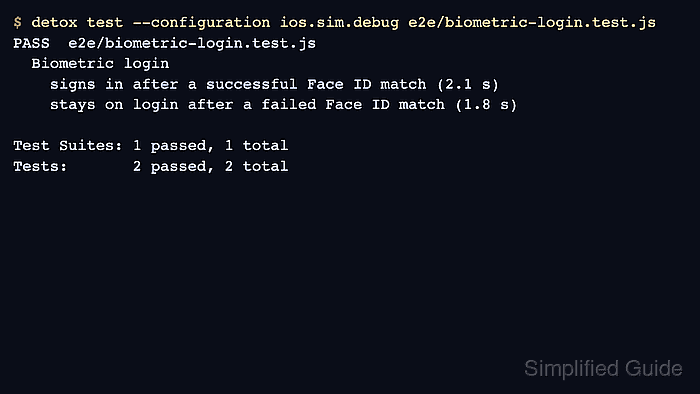
$ detox test --configuration ios.sim.debug e2e/biometric-login.test.js
Use the configuration name from the Detox config, such as ios.sim.release in a release-only suite.
Related: How to run Detox tests locally - Confirm that the biometric paths pass.
PASS  e2e/biometric-login.test.js
  Biometric login
    signs in after a successful Face ID match (2.1 s)
    stays on login after a failed Face ID match (1.8 s)

Test Suites: 1 passed, 1 total
Tests:       2 passed, 2 total
On iOS 26 simulator stacks, use Detox 20.51.3 or newer because older Detox releases used an applesimutils biometric flag shape that changed on newer simulator tooling.

Mohd Shakir Zakaria is a cloud architect with deep roots in software development and open-source advocacy. Certified in AWS, Red Hat, VMware, ITIL, and Linux, he specializes in designing and managing robust cloud and on-premises infrastructures.


