Permission dialogs can stop a Detox test before the app reaches the screen under test. Pre-seeding simulator permissions with device.launchApp() lets the test start from a known authorization state instead of waiting for a native alert.
Detox 20.x supports the permissions launch parameter for iOS simulators. The permission map grants, denies, unsets, or scopes supported runtime permissions before launch, and Detox terminates the app before applying the requested state.
Use this path when the test needs to bypass the native permission sheet and assert the app behavior after a permission decision. Android permission-dialog tests need a separate app-side, ADB, or UiAutomator strategy because the documented Detox permissions launch parameter is iOS only.
Steps to handle iOS permission dialogs in Detox:
- Choose the permission name and value for the test case.
Detox supports values such as YES, NO, and unset for most iOS runtime permissions. location uses always, inuse, never, or unset.
- Add a fresh app launch before the screen requests permission.
- e2e/permissions.e2e.js
describe('Camera permission', () => {
  beforeEach(async () => {
    await device.launchApp({
      newInstance: true,
      permissions: { camera: 'YES' },
    });
  });

  it('opens the scanner after permission is granted', async () => {
    await element(by.id('open-scanner')).tap();
    await expect(element(by.id('camera-preview'))).toBeVisible();
  });
});
Use test IDs from the app under test. The newInstance launch keeps the permission state and first screen setup tied to the current test.
- Add a denial case when the app must show a fallback state.
- e2e/permissions.e2e.js
describe('Camera permission denial', () => {
  beforeEach(async () => {
    await device.launchApp({
      newInstance: true,
      permissions: { camera: 'NO' },
    });
  });

  it('shows the camera permission fallback', async () => {
    await element(by.id('open-scanner')).tap();
    await expect(element(by.id('camera-permission-message'))).toBeVisible();
  });
});
- Use unset when a test must exercise the first-run prompt again.
- e2e/permissions.e2e.js
await device.launchApp({
  newInstance: true,
  permissions: { camera: 'unset' },
});
notifications, health, homekit, speech, faceid, and userTracking require AppleSimUtils because simctl does not cover those permission types.
- Run the targeted Detox test file.
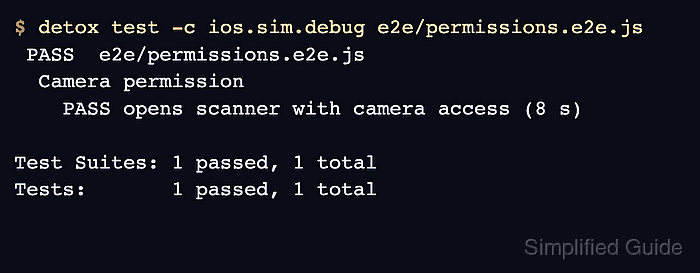
$ detox test -c ios.sim.debug e2e/permissions.e2e.js PASS e2e/permissions.e2e.js Camera permission PASS opens the scanner after permission is granted (8 s) Camera permission denial PASS shows the camera permission fallback (6 s) Test Suites: 1 passed, 1 total Tests: 2 passed, 2 total - Verify the app reached the permission-dependent UI instead of the native system dialog.
A passing assertion against camera-preview or camera-permission-message proves the app handled the pre-seeded permission state. If the iOS alert still appears, confirm the permission key is supported and that the app requests the same permission family.

Mohd Shakir Zakaria is a cloud architect with deep roots in software development and open-source advocacy. Certified in AWS, Red Hat, VMware, ITIL, and Linux, he specializes in designing and managing robust cloud and on-premises infrastructures.


