A reusable Codex workflow belongs in a plugin when a loose prompt or one local skill is no longer enough to share. Building the plugin folder gives Codex a manifest, bundled skill files, and marketplace metadata that can be installed and enabled as one package.
A Codex plugin keeps its manifest at .codex-plugin/plugin.json. The manifest names the plugin, points to bundled components such as skills, and supplies the interface metadata shown by the plugin browser.
Use @plugin-creator for the scaffold when it is available because it writes the manifest shape that Codex accepts and can seed the personal marketplace file. Keep optional apps and mcpServers fields out of the manifest until the matching .app.json or .mcp.json file exists.
Related: How to create a Codex skill
Related: How to add a local Codex plugin marketplace
Related: How to add a Codex hook
Steps to build a Codex plugin:
- Ask Codex to scaffold a personal plugin.
@plugin-creator create plugin review-helper
with skills and personal marketplace
The default personal scaffold creates ~/plugins/review-helper and updates ~/.agents/plugins/marketplace.json. Use a repo marketplace only when the plugin should live with that repository.
- Confirm the plugin manifest points at the bundled skills folder.
- plugin.json
{
  "name": "review-helper",
  "version": "0.1.0",
  "description": "Review Helper plugin",
  "author": {
    "name": "Local developer"
  },
  "skills": "./skills/",
  "interface": {
    "displayName": "Review Helper",
        "shortDescription": "Use Review Helper.",
        "longDescription": "Review Helper adds a review workflow.",
    "developerName": "Local developer",
    "category": "Productivity",
    "capabilities": [],
    "defaultPrompt": "Help me use Review Helper."
  }
}
Keep the name value in kebab-case and match it to the plugin folder name. The skills path stays relative to the plugin root.
- Add the bundled skill.
- SKILL.md
---
name: review-checklist
description: Run the repository review checklist.
---

Check the current diff, compare it with the team checklist, and report missing tests or risky files.
Each skill gets its own folder under skills and a SKILL.md file with front matter.
Related: How to create a Codex skill - Inspect the plugin files from the plugins directory.
$ find review-helper -maxdepth 4 -type f -print
review-helper/.codex-plugin/plugin.json
review-helper/skills/review-checklist/SKILL.md
Run the command from ~/plugins. The manifest and skill file are the minimum useful package for a skill-only plugin.
- Validate the plugin with @plugin-creator.
@plugin-creator validate ~/plugins/review-helper
Codex should run the bundled plugin validator and report that plugin validation passed. The validator catches missing manifests, malformed skill front matter, unsupported manifest fields, and missing companion files.
- Install the plugin from the personal marketplace.
$ codex plugin add review-helper@personal
Added plugin `review-helper` from marketplace `personal`.
##### snipped #####
The default personal marketplace is discovered from ~/.agents/plugins/marketplace.json. Use How to add a local Codex plugin marketplace when the plugin should come from a non-default local marketplace.
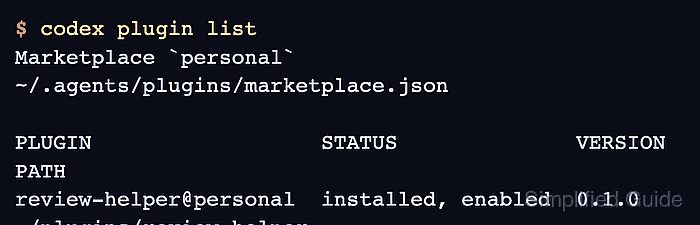
- List the installed plugin.
$ codex plugin list
Marketplace `personal`
~/.agents/plugins/marketplace.json

PLUGIN                  STATUS              VERSION
review-helper@personal  installed, enabled  0.1.0
##### snipped #####
- Start a new Codex thread before testing the plugin.
$ codex
Already-open Codex CLI, IDE, or app sessions may not see newly installed plugin files until a new session starts.
- Invoke the plugin or bundled skill from the prompt.
@review-helper review the current diff using the review checklist.
The plugin or its bundled skill should appear in the Codex @ picker after installation. If it does not appear, rerun codex plugin list and confirm the plugin is still installed, enabled.

Mohd Shakir Zakaria is a cloud architect with deep roots in software development and open-source advocacy. Certified in AWS, Red Hat, VMware, ITIL, and Linux, he specializes in designing and managing robust cloud and on-premises infrastructures.


