Plugin bundles can stay inside a project instead of going through a public directory. A local Codex plugin marketplace gives those bundles a named catalog that Codex can register and browse.
The marketplace manifest describes the catalog, while each plugin remains in its own folder. Local source paths are relative to the marketplace root, so moving a bundle without updating its entry breaks discovery.
An installed Codex CLI, the nano text editor, and a finished plugin folder are prerequisites. Registration saves the marketplace source in Codex configuration; plugin installation and enablement are separate actions.
Steps to add a local Codex plugin marketplace:
- Create an unused marketplace root at $HOME/marketplace.
$ mkdir "$HOME/marketplace"
This creates a separate catalog and leaves existing catalogs at their own roots. If the directory already exists, choose a different unused path; do not replace an existing marketplace manifest. The command deliberately omits -p so an existing directory produces an error.
- Enter the new marketplace root.
$ cd "$HOME/marketplace"
All relative paths below start here. On a Linux account named user, this root is normally /home/user/marketplace; the home directory differs on other systems.
- Create the manifest and bundle directories inside the new root.
$ mkdir -p .agents/plugins plugins
- Copy your finished review-helper plugin into the unused plugins/review-helper destination.
$ cp -R "$HOME/review-helper" ./plugins/review-helper
If the finished plugin lives elsewhere, substitute its absolute source path. The copied folder must include the plugin manifest and its components. The destination is unused because plugins was just created inside a new root; copying onto an existing plugin folder can merge files or nest the bundle.
- Open the new .agents/plugins/marketplace.json file in nano.
$ nano .agents/plugins/marketplace.json
Editor path: $HOME/marketplace/.agents/plugins/marketplace.json
The editor should show a blank new file. If it contains an existing catalog, stop before pasting.
- Paste the catalog definition into the blank file.
- .agents/plugins/marketplace.json
{
  "name": "local-review-tools",
  "plugins": [
    {
      "name": "review-helper",
      "source": {
        "source": "local",
        "path": "./plugins/review-helper"
      },
      "policy": {
        "installation": "AVAILABLE",
        "authentication": "ON_INSTALL"
      },
      "category": "Productivity"
    }
  ]
}
The two-space indentation and commas form a complete JSON document with one plugins array and one entry. source.path resolves from the marketplace root, so it identifies plugins/review-helper. The plugin entry name matches the finished bundle's name. If local-review-tools is already used by another catalog, choose an unused marketplace name here and use it in the final listing command.
Tool: JSON Validator - Press Ctrl+O to open nano's file-save prompt.
- Confirm the filename .agents/plugins/marketplace.json with Enter to save the catalog.
- Exit nano with Ctrl+X.
- Register the current directory as a Codex marketplace.
$ codex plugin marketplace add . --json
{
  "marketplaceName": "local-review-tools",
  "installedRoot": "/home/user/marketplace",
  "alreadyAdded": false
}
installedRoot identifies the marketplace directory. If the source is already registered, alreadyAdded is true.
- List the marketplace sources available to Codex.
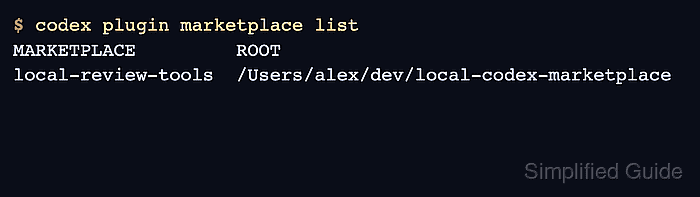
$ codex plugin marketplace list
MARKETPLACE         ROOT
local-review-tools  /home/user/marketplace
- Check that the marketplace exposes review-helper as an available plugin.
$ codex plugin list --marketplace local-review-tools --available --json
{
  "installed": [],
  "available": [
    {
      "pluginId": "review-helper@local-review-tools",
      "name": "review-helper",
      "marketplaceName": "local-review-tools",
      "version": "1.0.0",
      "installed": false,
      "enabled": false,
      "source": {
        "source": "local",
        "path": "/home/user/marketplace/plugins/review-helper"
      },
      "marketplaceSource": {
        "sourceType": "local",
        "source": "/home/user/marketplace"
      },
      "installPolicy": "AVAILABLE",
      "authPolicy": "ON_INSTALL"
    }
  ]
}
The matching pluginId and version show that Codex can read the bundle. The --available flag requires --json; a plain plugin listing includes only installed plugins. Here installed and enabled remain false.