How to use variables in Zsh
Shell scripts become easier to change when recurring values have stable names instead of being repeated as literals. Zsh calls these named values parameters, and scalar parameters cover common text such as task labels, file names, and runtime modes.
The typeset builtin makes a declaration explicit and can attach attributes such as integer arithmetic. export changes a parameter's reach by passing it to commands and child shells, while an ordinary assignment remains in the current shell process.
Native Zsh does not split unquoted scalar expansions on whitespace unless SH_WORD_SPLIT is enabled, but quoting still preserves the intended single-argument boundary. Braced forms such as ${name} separate the parameter name from adjacent text, and unset removes a value that should not affect later commands.
Related: How to use arrays in Zsh
Related: How to manage PATH with the Zsh path array
Related: Use variables in Bash scripts
Steps to use variables in Zsh:
- Create the scalar parameter section in vars-demo.zsh.
- vars-demo.zsh
#!/usr/bin/env zsh
emulate -L zsh

typeset job="nightly backup"
typeset prefix=nightly
print -r -- "job=$job"
emulate -L zsh selects native Zsh behavior. The -L switch localizes option, pattern, and trap changes to the immediately surrounding function, if any; at script top level, the separate script process prevents those changes from reaching the parent shell.
- Append the integer and derived file-name parameters to vars-demo.zsh.
typeset -i tries=3
typeset log="${prefix}_backup-${tries}.log"
print -r -- "tries=$tries"
print -r -- "log=$log"
The -i attribute stores tries as an integer. Braces keep prefix separate from the adjacent underscore in the derived log value.
- Append the exported runtime mode and child-shell expansion to vars-demo.zsh.
export MODE=staging
zsh -fc 'print -r -- "child=$MODE"'
export places MODE in the environment inherited by the child Zsh process.
- Append the final parameter-state section to vars-demo.zsh.
unset MODE
print -r -- "after=${MODE-unset}"
The ${MODE-unset} expansion returns unset only after MODE has been removed.
- Confirm the completed vars-demo.zsh file contains the assembled sections.
- vars-demo.zsh
#!/usr/bin/env zsh
emulate -L zsh

typeset job="nightly backup"
typeset prefix=nightly
print -r -- "job=$job"

typeset -i tries=3
typeset log="${prefix}_backup-${tries}.log"
print -r -- "tries=$tries"
print -r -- "log=$log"

export MODE=staging
zsh -fc 'print -r -- "child=$MODE"'

unset MODE
print -r -- "after=${MODE-unset}"
- Check the completed script with the Zsh syntax parser.
$ zsh -n vars-demo.zsh
A successful syntax check exits with no output.
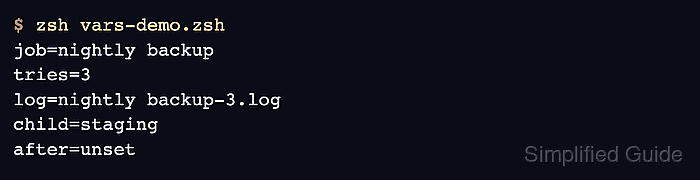
- Run vars-demo.zsh to verify parameter values, child-process export, and removal.
$ zsh vars-demo.zsh
job=nightly backup
tries=3
log=nightly_backup-3.log
child=staging
after=unset
The child shell prints staging because it inherited MODE. The final line confirms that the parent script removed the parameter before applying the fallback expansion.