When a Zsh startup file keeps rebuilding PATH as a long colon string, duplicate directories and wrong lookup order are easy to miss. The lowercase path array keeps each directory as one item while the exported PATH value remains available to child commands.
The path and PATH parameters are tied, so assigning one updates the other. The unique attribute from typeset -U removes later duplicate entries when the array is assigned, which keeps directories such as /usr/local/bin from multiplying each time a startup file is sourced.
Persistent interactive-terminal changes usually belong in ~/.zshrc. Use ~/.zprofile instead when the path order must be present for login shells before interactive setup starts, and verify the result from a new Zsh process instead of relying on the current terminal session.
Steps to manage PATH with the Zsh path array:
- Create the personal command directories that should be added to PATH.
$ mkdir -p "$HOME/bin" "$HOME/.local/bin"
- Back up ~/.zshrc if it already exists.
$ cp -p ~/.zshrc ~/.zshrc.bak
Skip this command when ~/.zshrc has not been created yet.
- Add the path-array setup to ~/.zshrc.
- ~/.zshrc
typeset -U PATH path
path=("$HOME/bin" "$HOME/.local/bin" /usr/local/bin $path)
export PATH
typeset -U PATH path sets the unique attribute on both tied interfaces. Zsh keeps the first copy it sees and removes later duplicates when the assignment runs.
- Check the startup file for syntax errors.
$ zsh -n ~/.zshrc
No output from zsh -n means Zsh parsed the startup file without finding a syntax error.
- Start a new interactive Zsh process and print the first path entries.
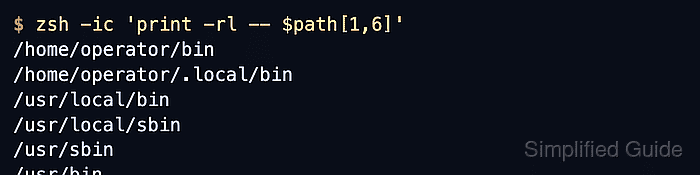
$ zsh -ic 'print -rl -- $path[1,6]'
/home/operator/bin
/home/operator/.local/bin
/usr/local/bin
/usr/local/sbin
/usr/sbin
/usr/bin
- Confirm that PATH is exported in colon-separated form.
$ zsh -ic 'print -r -- "PATH=$PATH"'
PATH=/home/operator/bin:/home/operator/.local/bin:/usr/local/bin:/usr/local/sbin:/usr/sbin:/usr/bin:/sbin:/bin
Your home directory and system path entries will differ. Check that the new directories appear at the front and that duplicate entries are not repeated.

Mohd Shakir Zakaria is a cloud architect with deep roots in software development and open-source advocacy. Certified in AWS, Red Hat, VMware, ITIL, and Linux, he specializes in designing and managing robust cloud and on-premises infrastructures.


