Variables let a Bash script name values that would otherwise be repeated, such as a user name, retry count, file path, or job label. A script is easier to adjust when those values live in one assignment or come from arguments instead of being copied through every command.
Bash assigns a variable with name=value and reads it with $name or ${name}. The braces mark the variable boundary when text follows the value, and quotes around expansions keep spaces and empty strings from being split into separate command arguments.
A short script can combine a default argument, a numeric counter, and a derived log filename without drifting into a parameter-expansion reference. Running it with no argument and with a quoted argument confirms that the fallback value, explicit input, braces, and quoted expansions behave as expected.
Related: How to create and run a Bash script
Related: How to use parameter expansion in Bash
Steps to use variables in Bash scripts:
- Create a script that assigns variables and prints their expanded values.
- variables-demo.sh
#!/usr/bin/env bash
set -euo pipefail

name=${1:-operator}
count=3
job_name="backup"
log_file="${job_name}-${count}.log"

printf "name=%s\n" "$name"
printf "count=%s\n" "$count"
printf "job=%s\n" "$job_name"
printf "log=%s\n" "$log_file"
Do not add spaces around = in a variable assignment. name=value assigns a variable, while name = value asks the shell to run a command named name.
- Check the script syntax before running it.
$ bash -n variables-demo.sh
No output means Bash did not find a parse error.
- Run the script without an argument to verify the default value.
$ bash variables-demo.sh
name=operator
count=3
job=backup
log=backup-3.log
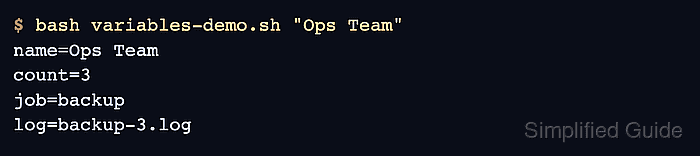
- Run the script with a quoted name to verify that the argument stays one value.
$ bash variables-demo.sh "Ops Team"
name=Ops Team
count=3
job=backup
log=backup-3.log
- Keep variable expansions quoted unless the script intentionally needs word splitting or glob expansion.
printf "name=%s\n" "$name"
Unquoted variables can turn an empty value into a missing argument or split a value with spaces into several arguments.

Mohd Shakir Zakaria is a cloud architect with deep roots in software development and open-source advocacy. Certified in AWS, Red Hat, VMware, ITIL, and Linux, he specializes in designing and managing robust cloud and on-premises infrastructures.


