Zsh arrays keep ordered lists inside scripts and interactive functions, so a script can work through targets, arguments, file names, or option values without repeating a separate variable for each item.
Normal Zsh arrays use index 1 for the first element unless the script enables KSH_ARRAYS, and negative indexes count backward from the end. Values are assigned inside parentheses, appended with array+=(value), and expanded one element at a time with syntax such as ${array[1]}.
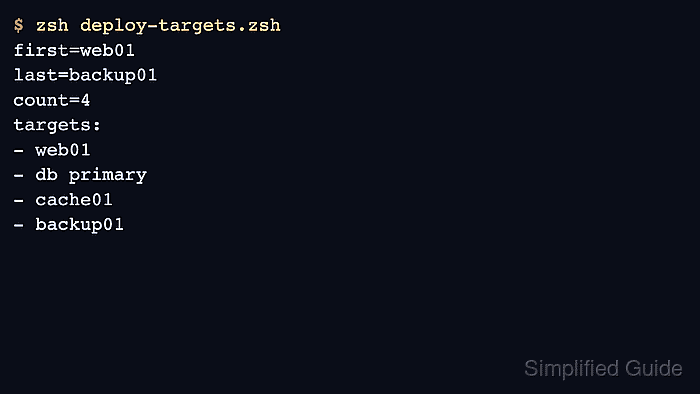
The example below builds a deployment target list, appends one more target, then prints the first item, last item, total count, and loop output. One target contains a space so the quoted loop proves each array element stays intact, and the sample uses a regular script array rather than the tied path array that controls PATH.
Steps to use arrays in Zsh:
- Create a script with an indexed Zsh array.
- deploy-targets.zsh
#!/usr/bin/env zsh
set -e

targets=(web01 "db primary" cache01)
targets+=(backup01)

print -r -- "first=${targets[1]}"
print -r -- "last=${targets[-1]}"
print -r -- "count=${#targets[@]}"
print -r -- "targets:"
for target in "${targets[@]}"; do
    print -r -- "- $target"
done
Default Zsh arrays start at index 1. The ${targets[-1]} expansion reads the last element, and ${#targets[@]} returns the number of elements.
- Check the script syntax before running it.
$ zsh -n deploy-targets.zsh
No output from zsh -n means Zsh parsed the script without finding a syntax error.
- Run the script and confirm the array order.
$ zsh deploy-targets.zsh
first=web01
last=backup01
count=4
targets:
- web01
- db primary
- cache01
- backup01
- Keep array expansions quoted when elements might contain spaces.
for target in "${targets[@]}"; do
    print -r -- "- $target"
done
Unquoted array expansion can split elements that contain spaces or glob characters. Quote ${array[@]} unless the script intentionally wants shell splitting.
- Remove the sample script after testing.
$ rm -f deploy-targets.zsh

Mohd Shakir Zakaria is a cloud architect with deep roots in software development and open-source advocacy. Certified in AWS, Red Hat, VMware, ITIL, and Linux, he specializes in designing and managing robust cloud and on-premises infrastructures.


