How to run XCUITest tests in GitHub Actions
An XCUITest suite protects an iOS release branch only when it runs before code reaches it. GitHub Actions can provide that pull request gate by starting a hosted macOS runner, selecting Xcode, and running the UI test target with xcodebuild instead of relying on a developer's local simulator state.
Pinning the runner label matters because macos-latest is a moving label and the installed Xcode set follows GitHub runner image updates. A fixed label such as macos-15 plus an explicit Xcode developer directory keeps the job tied to a known toolchain while still allowing the repository to change that path deliberately.
The repository needs a shared Xcode scheme named MyApp and a UI test bundle named MyAppUITests. The job writes the result bundle to TestResults/MyAppUITests.xcresult and uploads it even when the test step fails, so reviewers can open the xcresult bundle instead of depending only on scrollback in the job log.
Steps to run XCUITest tests in GitHub Actions:
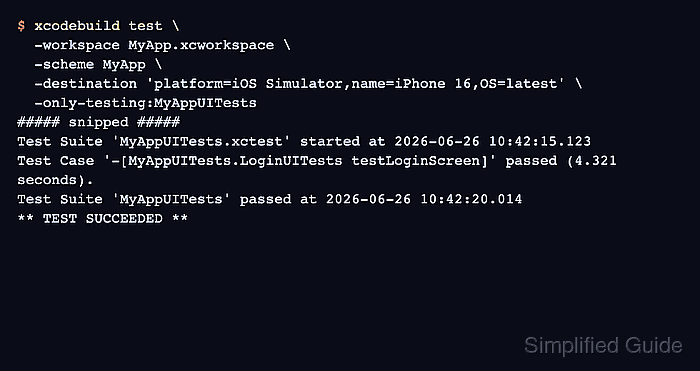
- Run the UI test command locally with the same scheme and simulator destination.
$ xcodebuild test \
  -workspace MyApp.xcworkspace \
  -scheme MyApp \
  -destination 'platform=iOS Simulator,name=iPhone 16,OS=latest' \
  -only-testing:MyAppUITests
##### snipped #####
Test Suite 'MyAppUITests.xctest' started at 2026-06-26 10:42:15.123
Test Case '-[MyAppUITests.LoginUITests testLoginScreen]' passed (4.321 seconds).
Test Suite 'MyAppUITests' passed at 2026-06-26 10:42:20.014
** TEST SUCCEEDED **
Keep the same workspace, scheme, destination, and -only-testing value in CI. If the command fails locally, fix the shared scheme or simulator choice before adding the workflow.
- Create the workflow directory.
$ mkdir -p .github/workflows
- Add the GitHub Actions workflow file.
- .github/workflows/xcuitest.yml
name: XCUITest CI

on:
  pull_request:
  push:
    branches: [ main ]
  workflow_dispatch:

permissions:
  contents: read

jobs:
  xcuitest:
    runs-on: macos-15
    timeout-minutes: 45
    env:
      XCODE_DEVELOPER_DIR: /Applications/Xcode_16.4.app/Contents/Developer
      WORKSPACE: MyApp.xcworkspace
      SCHEME: MyApp
      DESTINATION: platform=iOS Simulator,name=iPhone 16,OS=latest
      RESULT_BUNDLE: TestResults/MyAppUITests.xcresult

    steps:
      - uses: actions/checkout@v6

      - name: Select Xcode
        run: |
          sudo xcode-select -s "$XCODE_DEVELOPER_DIR"
          xcodebuild -version

      - name: Show simulator destination
        run: xcrun simctl list devices available

      - name: Run XCUITest
        run: |
          mkdir -p TestResults
          xcodebuild test \
            -workspace "$WORKSPACE" \
            -scheme "$SCHEME" \
            -destination "$DESTINATION" \
            -only-testing:MyAppUITests \
            -derivedDataPath DerivedData \
            -resultBundlePath "$RESULT_BUNDLE"

      - name: Upload XCUITest result bundle
        if: always()
        uses: actions/upload-artifact@v7
        with:
          name: xcuitest-result-bundle
          path: TestResults/MyAppUITests.xcresult
          if-no-files-found: error
Replace MyApp, MyAppUITests, and the workspace path with names from the project. Use macos-15-intel only when an Intel-only dependency blocks the standard macOS runner, and change XCODE_DEVELOPER_DIR only after checking the runner image's included Xcode paths.
- Push the workflow branch or run it manually from Actions → XCUITest CI → Run workflow.
Use the manual trigger for the first CI validation so a broken simulator, scheme, or Xcode path does not block every pull request while the job is being tuned.
- Check the Select Xcode step in the job log.
Run sudo xcode-select -s "$XCODE_DEVELOPER_DIR"
Xcode 16.4
Build version 16F6
If this step fails, select an Xcode path that exists on the pinned runner image or move the job to the runner label that contains the required Xcode version.
- Check the simulator list for the selected device name.
Run xcrun simctl list devices available
-- iOS 18.5 --
    iPhone 16 (00000000-0000-0000-0000-000000000001) (Shutdown)
##### snipped #####
The simulator name in DESTINATION must appear in this list for the selected Xcode runtime. Keep OS=latest only when the newest runtime on that image is acceptable for the test suite.
- Check the Run XCUITest step for a passing UI test bundle.
Run xcodebuild test \
  -workspace "$WORKSPACE" \
  -scheme "$SCHEME" \
  -destination "$DESTINATION" \
  -only-testing:MyAppUITests \
  -derivedDataPath DerivedData \
  -resultBundlePath "$RESULT_BUNDLE"
##### snipped #####
Test Suite 'MyAppUITests.xctest' started at 2026-06-26 10:42:15.123
Test Case '-[MyAppUITests.LoginUITests testLoginScreen]' passed (4.321 seconds).
Test Suite 'MyAppUITests' passed at 2026-06-26 10:42:20.014
** TEST SUCCEEDED **
- Confirm the result bundle artifact uploaded.
Run actions/upload-artifact@v7
With the provided path, there will be 1 file uploaded
Artifact xcuitest-result-bundle has been successfully uploaded
Keep if: always() on the upload step so failed test runs still preserve the xcresult bundle. The if-no-files-found: error setting catches workflow changes that stop producing the expected result path.