How to redirect HTTP to HTTPS in WordPress
Redirecting a WordPress site from HTTP to HTTPS keeps logins, cookies, and form traffic off clear text while giving browsers, search engines, and plugins one canonical public scheme.
For an Apache-served WordPress site, the redirect is best handled before WordPress runs. The .htaccess rule sends the browser to the same host and path over HTTPS, while FORCE_SSL_ADMIN keeps login and dashboard URLs on the secure scheme.
On Debian and Ubuntu Apache hosts, a2enmod enables mod_rewrite and apache2ctl validates server configuration. A working TLS certificate and HTTPS virtual host must already answer the same hostname before the redirect is enabled; if a load balancer, reverse proxy, or CDN terminates HTTPS upstream, make the origin trust the forwarded scheme first to avoid a loop.
Steps to redirect WordPress HTTP requests to HTTPS:
- Change into the WordPress document root.
$ cd /var/www/example.com/public_html
Run file edits from the directory that contains wp-config.php and the active .htaccess file.
- Back up wp-config.php.
$ sudo cp wp-config.php wp-config.php.bak
- Back up .htaccess when it already exists.
$ sudo cp .htaccess .htaccess.bak
Skip this backup when the file has not been created yet; the edit step can create it.
- Enable the Apache rewrite module on Debian or Ubuntu.
$ sudo a2enmod rewrite
Enabling module rewrite.
To activate the new configuration, you need to run:
  service apache2 restart
Run the command even when the module may already be enabled; a2enmod reports that state without duplicating the module.
Related: How to enable or disable Apache modules - Confirm that the site directory allows .htaccess rewrite directives.
<Directory /var/www/example.com/public_html>
    Options FollowSymLinks
    AllowOverride FileInfo
    Require all granted
</Directory>
AllowOverride All also works for normal WordPress permalink handling. Apache ignores .htaccess rewrite rules when neither FileInfo nor All is allowed for the document root.
Related: How to locate Apache configuration files - Open wp-config.php.
$ sudo vi wp-config.php
- Force secure WordPress login and admin URLs before WordPress loads.
define( 'FORCE_SSL_ADMIN', true );
Place the line above the final require_once ABSPATH . 'wp-settings.php'; line. If WP_HOME or WP_SITEURL already exists in this file, change those existing values to https://www.example.com instead of adding duplicate constants.
Related: How to update WordPress URLs from HTTP to HTTPS - Open the .htaccess file.
$ sudo vi .htaccess
- Add the HTTPS redirect rule above the autogenerated WordPress rewrite block.
<IfModule mod_rewrite.c>
RewriteEngine On
RewriteCond %{HTTPS} !=on
RewriteRule ^ https://%{HTTP_HOST}%{REQUEST_URI} [R=301,L]
</IfModule>

# BEGIN WordPress
##### snipped #####
# END WordPress
The rule returns a permanent redirect before WordPress permalink handling begins.
- Test the Apache configuration after enabling mod_rewrite or changing the site directory block.
$ sudo apache2ctl configtest
Syntax OK
wp-config.php and .htaccess edits are request-time file changes, but module and directory-block changes should still pass the Apache syntax test before reload.
Related: How to test Apache configuration - Reload Apache after the configuration test passes.
$ sudo systemctl reload apache2
Skip the reload only when the change was limited to existing wp-config.php and .htaccess files.
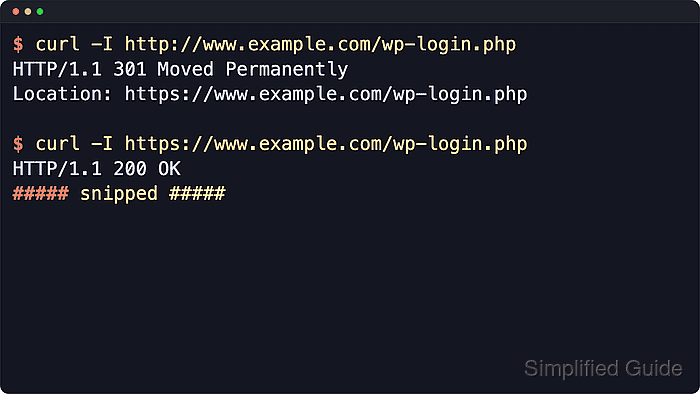
Related: How to manage the Apache web server service - Verify that the HTTP login URL redirects to the same path over HTTPS.
$ curl -I http://www.example.com/wp-login.php
HTTP/1.1 301 Moved Permanently
Location: https://www.example.com/wp-login.php
Tool: HTTP Redirect Checker
- Verify that the HTTPS login URL answers normally.
$ curl -I https://www.example.com/wp-login.php
HTTP/1.1 200 OK
##### snipped #####
Use --insecure only for a temporary lab or self-signed certificate. If HTTPS works but pages still contain http:// assets or links, update stored WordPress URLs separately.
Related: How to update WordPress URLs from HTTP to HTTPS