How to parse whois output
A saved WHOIS record can bury registrar, status, nameserver, allocation, and contact clues inside provider-specific text. Parsing it into a focused field list keeps an audit, incident note, or handoff from copying disclaimers and unrelated personal data.
Legacy WHOIS is a human-readable text protocol, not a stable response schema. Some registries indent labels with leading spaces, some use lowercase keys such as domain: or source:, repeated fields are common, and disclaimers can contain words that look like labels unless the match is anchored to the start of a line.
For gTLD registration data, RDAP is the structured source to prefer for automation, while saved WHOIS text still appears in old evidence, terminal checks, registrar handoffs, and number-resource lookups. Work from the raw file that was actually queried, keep repeated values separate, and sanitize contact fields before the parsed result leaves the authorized audience.
Related: How to query a domain with whois
Related: How to query RDAP for a domain
Tool: WHOIS / RDAP Lookup
Steps to parse whois output:
- Save the raw lookup before parsing it.
$ whois -h whois.verisign-grs.com example.com > example.whois
Use the WHOIS server that produced the evidence being reviewed. Re-querying a different server can change referrals, field names, date values, and rate-limit behavior.
Related: How to save raw whois output
Related: How to follow a WHOIS referral server - Extract the domain identity, registrar, and delegated nameservers with a line-anchored match.
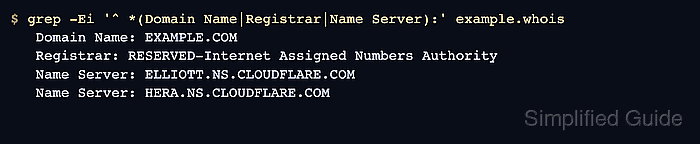
$ grep -Ei '^ *(Domain Name|Registrar|Name Server):' example.whois
   Domain Name: EXAMPLE.COM
   Registrar: RESERVED-Internet Assigned Numbers Authority
   Name Server: ELLIOTT.NS.CLOUDFLARE.COM
   Name Server: HERA.NS.CLOUDFLARE.COM
The ^ * prefix keeps space-indented registry output in scope while still avoiding matches from disclaimer paragraphs.
- Extract lifecycle, status, and referral fields when the handoff needs transfer, expiry, or source evidence.
$ grep -Ei '^ *(Registrar WHOIS Server|Registrar IANA ID|Updated Date|Creation Date|Registry Expiry Date|Domain Status|DNSSEC):' example.whois
   Registrar WHOIS Server: whois.iana.org
   Updated Date: 2026-01-16T18:26:50Z
   Creation Date: 1995-08-14T04:00:00Z
   Registry Expiry Date: 2026-08-13T04:00:00Z
   Registrar IANA ID: 376
   Domain Status: clientDeleteProhibited https://icann.org/epp#clientDeleteProhibited
   Domain Status: clientTransferProhibited https://icann.org/epp#clientTransferProhibited
   Domain Status: clientUpdateProhibited https://icann.org/epp#clientUpdateProhibited
   DNSSEC: signedDelegation
Keep each repeated Domain Status line as its own row. Combining lock or lifecycle values can hide the exact condition that explains a blocked transfer, update, or deletion.
- Use number-resource labels for an IP allocation record.
$ grep -Ei '^ *(NetRange|CIDR|NetName|Organization|OrgName|OrgAbuseEmail|OrgTechEmail):' 192.0.2.1.whois
NetRange:       192.0.2.0 - 192.0.2.255
CIDR:           192.0.2.0/24
NetName:        TEST-NET-1
Organization:   Internet Assigned Numbers Authority (IANA)
OrgName:        Internet Assigned Numbers Authority
OrgTechEmail:  abuse@iana.org
OrgAbuseEmail:  abuse@iana.org
Domain records and IP allocation records use different labels. Change the label set instead of forcing one domain parser across every WHOIS source.
Related: How to query an IP address with whois
Related: How to find abuse contacts with whois - Review contact-shaped lines before sharing the parsed result.
$ grep -Ei '^ *(Registrant|Admin|Tech|Billing|.*Email|.*Phone|Street|City|Postal):' example.whois
No output means this saved domain record did not expose matching contact fields. If names, addresses, phone numbers, or unapproved mailboxes appear, redact them before attaching the parsed list to a public ticket or document.
Related: How to sanitize whois contact data
- Confirm copied values against the raw file before acting on them.
$ grep -Fi 'Registrar: RESERVED-Internet Assigned Numbers Authority' example.whois
   Registrar: RESERVED-Internet Assigned Numbers Authority
The parsed list is ready when each retained line still exists in the saved raw file, repeated values remain separate, and contact data is either removed or approved for the audience.