How to resume interrupted downloads using wget
Interrupted transfers waste time and bandwidth when a large file has to start again from byte zero. Resuming a partial download lets wget reuse the bytes already written to disk, which is most useful for large archives, unstable links, and scheduled recovery jobs.
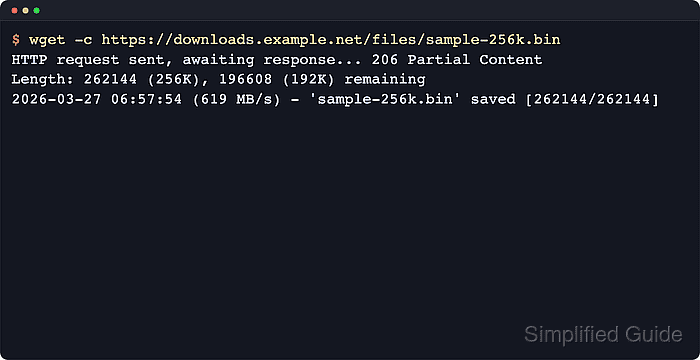
GNU wget resumes with -c or --continue by comparing the existing local file size with the remote object and requesting only the remaining bytes. Current GNU documentation also notes that -c is only for a partial file left by an earlier run, because a single wget invocation already retries a dropped connection during the current transfer.
Resume is only safe when the local file is still a valid prefix of the remote file. If the server ignores ranged requests, wget -c restarts the download from the beginning and can overwrite the partial file, and if the remote file changed rather than simply grew, appending the remaining bytes can leave a corrupted result.
Steps to resume interrupted downloads using wget:
- Change to the directory that already contains the partial file and confirm that it is smaller than the expected finished download.
$ cd ~/downloads/releases
$ ls -lh release-bundle.tar.gz
-rw-r--r-- 1 user user 96K Jun  6 10:00 release-bundle.tar.gz
Resume matches the existing local filename in the current directory, so renaming or moving the partial file changes what wget can continue.
- Resume the transfer with -c and confirm that the server answers with 206 Partial Content.
$ wget -c https://downloads.example.net/releases/release-bundle.tar.gz
--2026-06-06 10:00:38--  https://downloads.example.net/releases/release-bundle.tar.gz
Resolving downloads.example.net (downloads.example.net)... 203.0.113.50
Connecting to downloads.example.net (downloads.example.net)|203.0.113.50|:443... connected.
HTTP request sent, awaiting response... 206 Partial Content
Length: 393216 (384K), 294912 (288K) remaining [application/gzip]
Saving to: 'release-bundle.tar.gz'

##### snipped #####
2026-06-06 10:00:38 (40.3 MB/s) - 'release-bundle.tar.gz' saved [393216/393216]
A 206 Partial Content response confirms that the server accepted the range request and sent only the missing bytes.
- Run the same resume command again after the file finishes and confirm that wget has nothing left to append.
$ wget -c https://downloads.example.net/releases/release-bundle.tar.gz
--2026-06-06 10:00:38--  https://downloads.example.net/releases/release-bundle.tar.gz
Resolving downloads.example.net (downloads.example.net)... 203.0.113.50
Connecting to downloads.example.net (downloads.example.net)|203.0.113.50|:443... connected.
HTTP request sent, awaiting response... 416 Range Not Satisfiable

    The file is already fully retrieved; nothing to do.
This is the clean success state for a completed resumed download: the file on disk already matches the full remote size.
- Remove the partial copy and fetch the file from scratch only when the resume request returns 200 OK instead of 206 Partial Content, or when the remote file changed since the interruption.
$ rm -f release-bundle.tar.gz
$ wget https://downloads.example.net/releases/release-bundle.tar.gz
A 200 OK response means the server ignored resume and wget restarted from byte zero, so keep the partial file only when it still belongs to the same remote object.