How to configure a Doctrine database in Symfony
Symfony applications read database connection settings before Doctrine opens a DBAL connection for repositories, migrations, Messenger transports, and direct SQL checks. A server-backed Doctrine database is the usual target when an app needs shared state across web requests, workers, and deployed instances instead of a local SQLite file.
DoctrineBundle's recipe points doctrine.dbal.url at DATABASE_URL in config/packages/doctrine.yaml. The URL carries the driver scheme, credentials, host, database name, server version, and charset; Doctrine uses those values to choose the database platform behavior and open the PDO connection.
Use .env.local for a developer override that should stay out of Git. In production, set DATABASE_URL through the deployment environment or secret manager, then use Symfony console checks to confirm the DBAL layer reads the intended connection before migrations or application code depend on it.
Steps to configure a Doctrine database in Symfony:
- Confirm Doctrine commands are available from the project root.
$ php bin/console list doctrine
Symfony v8.1.0 (env: dev, debug: true)
##### snipped #####
Available commands for the "doctrine" namespace:
  doctrine:database:create                   Creates the configured database
##### snipped #####
  doctrine:schema:validate                   Validate the mapping files
Run the command from the directory that contains composer.json and bin/console. If the doctrine namespace is missing, install Doctrine in the project before continuing with composer require symfony/orm-pack.
- Confirm Doctrine reads the database URL from config/packages/doctrine.yaml.
- config/packages/doctrine.yaml
doctrine:
    dbal:
        url: '%env(resolve:DATABASE_URL)%'
If the project intentionally uses separate user, password, host, port, dbname, and driver settings, keep that structure and set the matching environment variables instead of replacing it with a URL.
- Create or edit .env.local for the local database connection.
DATABASE_URL="mysql://app:app@127.0.0.1:3306/app?serverVersion=11.8.6-MariaDB&charset=utf8mb4"
Replace the username, password, host, database name, and serverVersion with values from the database server. For PostgreSQL, use a postgresql:// URL such as postgresql://app:app@127.0.0.1:5432/app?serverVersion=16&charset=utf8. URL-encode reserved characters in credentials, or use separate DBAL parameters when passwords contain characters such as @, #, $, or /.
Tool: URL Encoder - Check the Doctrine DBAL configuration that Symfony compiled.
$ php bin/console debug:config doctrine dbal

Current configuration for "doctrine.dbal"
=========================================

connections:
    default:
        url: '%env(resolve:DATABASE_URL)%'
        profiling_collect_backtrace: true
        driver: pdo_mysql
        logging: true
##### snipped #####
driver_schemes: {}
The command should show url: '%env(resolve:DATABASE_URL)%' and a driver matching the URL scheme, such as pdo_mysql or pdo_pgsql. It does not print the database password.
- Create the configured database when it does not already exist.
$ php bin/console doctrine:database:create --if-not-exists
Database `app` for connection named default already exists. Skipped.
Run this command only after confirming DATABASE_URL points at the intended server. A wrong host or database name can create the application database in the wrong environment.
- Run a SQL smoke query through Doctrine DBAL.
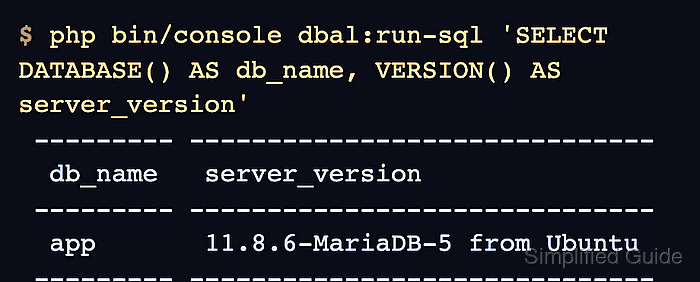
$ php bin/console dbal:run-sql 'SELECT DATABASE() AS db_name, VERSION() AS server_version'
 --------- ------------------------------
  db_name   server_version
 --------- ------------------------------
  app       11.8.6-MariaDB-5 from Ubuntu
 --------- ------------------------------
A row with the expected database name confirms Symfony read DATABASE_URL and Doctrine opened the database connection.