Symfony applications often need values that change between developer machines, test runs, and deployment targets. Environment variables keep those values outside PHP code while still letting configuration files read a stable name such as APP_SUPPORT_EMAIL or DATABASE_URL.
Symfony loads default values from .env and local overrides from files such as .env.local. A real environment variable from the shell, web server, container runtime, or deployment platform takes priority over values from dotenv files, so the same configuration name can be used locally and in production.
Use .env.local for non-secret machine-specific values that should stay out of Git. Use Symfony secrets or the deployment platform's secret store for API keys, passwords, tokens, and other sensitive values, because the debug commands that prove an environment variable is wired can print the resolved value.
Related: How to set Symfony secrets
Related: How to debug the Symfony service container
Related: How to warm up Symfony cache for deployment
Steps to set a Symfony environment variable:
- Open a terminal in the Symfony project root.
- Add the local value to .env.local.
APP_SUPPORT_EMAIL="support@example.com"
The .env.local file is for machine-specific overrides and should not be committed. Put shared, non-secret defaults in .env, and put production values in the deployment environment or a secret store.
- Reference the variable from the configuration that needs it.
- config/services.yaml
parameters:
    app.support_email: '%env(APP_SUPPORT_EMAIL)%'
Symfony reads environment variables in configuration with %env(NAME)%. Add a processor such as %env(int:HTTP_PORT)% when the target configuration needs a value type other than a string.
- Check which dotenv file supplied the value.
$ php bin/console debug:dotenv APP_SUPPORT_EMAIL

Dotenv Variables & Files
========================

##### snipped #####

Variables
---------

 ------------------- --------------------- ---------- --------------------- ------
  Variable            Value                 .env.dev   .env.local            .env
 ------------------- --------------------- ---------- --------------------- ------
  APP_SUPPORT_EMAIL   support@example.com   n/a        support@example.com   n/a
 ------------------- --------------------- ---------- --------------------- ------
The .env.local column should contain the local override. If the variable is missing, check the file name, spelling, quotes, and whether the command is running from the project root.
- Verify that the Symfony container consumes the variable.
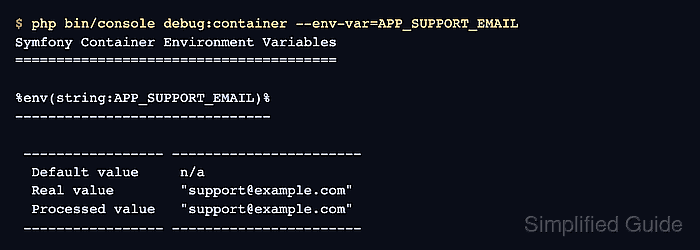
$ php bin/console debug:container --env-var=APP_SUPPORT_EMAIL

Symfony Container Environment Variables
=======================================

%env(string:APP_SUPPORT_EMAIL)%
-------------------------------

 ----------------- -----------------------
  Default value     n/a
  Real value        "support@example.com"
  Processed value   "support@example.com"
 ----------------- -----------------------
The debug:container –env-var command prints the resolved value. Use a harmless sample value for checks that may be copied into tickets, logs, or documentation.
- Test a real environment override when the value comes from the shell or deployment platform.
$ APP_SUPPORT_EMAIL=ops@example.net php bin/console debug:container --env-var=APP_SUPPORT_EMAIL

Symfony Container Environment Variables
=======================================

%env(string:APP_SUPPORT_EMAIL)%
-------------------------------

 ----------------- -------------------
  Default value     n/a
  Real value        "ops@example.net"
  Processed value   "ops@example.net"
 ----------------- -------------------
A real environment variable wins over .env, .env.local, and environment-specific dotenv files. Set the same name in the web server, process manager, container runtime, or deployment platform for non-local environments.

Mohd Shakir Zakaria is a cloud architect with deep roots in software development and open-source advocacy. Certified in AWS, Red Hat, VMware, ITIL, and Linux, he specializes in designing and managing robust cloud and on-premises infrastructures.


