How to create a Symfony controller
Controllers are the Symfony classes that turn matched routes into HTTP responses. Creating one with MakerBundle gives a project a route attribute, an action method, and a small response surface that can be tested before more page or endpoint logic is added.
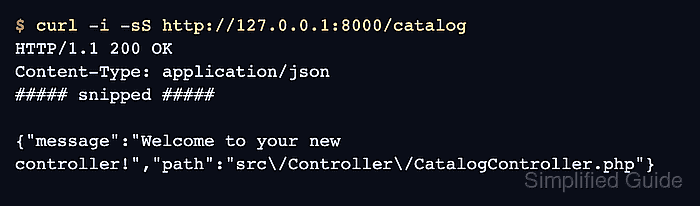
Current Symfony Flex applications import route attributes from controller classes, so a generated class under src/Controller can become a callable URL without editing a separate route file. The --no-template option keeps the first controller response inside the PHP class instead of creating a Twig template, which keeps the initial route test focused on request-to-response behavior.
A project root that already contains bin/console and MakerBundle is the starting point. Route inspection and a local HTTP request confirm that Symfony found CatalogController::index(), mapped it to /catalog, and returned the generated response body.
Related: How to create a Symfony route
Related: How to create a Twig template in Symfony
Related: How to create a JSON API endpoint in Symfony
Steps to create a Symfony controller:
- Open a terminal in the Symfony project root that contains bin/console.
- Generate a controller class without a template.
$ php bin/console make:controller CatalogController --no-template
 Do you want to generate PHPUnit tests? [Experimental] (yes/no) [no]:
 >

 created: src/Controller/CatalogController.php

 Success!

 Next: Open your new controller class and add some pages!
Press Enter at the PHPUnit tests prompt to keep the default no answer unless the project needs generated test scaffolding. --no-template keeps the generated controller returning JSON directly.
Related: How to create a Twig template in Symfony - Review the generated controller source.
- CatalogController.php
<?php

namespace App\Controller;

use Symfony\Bundle\FrameworkBundle\Controller\AbstractController;
use Symfony\Component\HttpFoundation\JsonResponse;
use Symfony\Component\Routing\Attribute\Route;

final class CatalogController extends AbstractController
{
    #[Route('/catalog', name: 'app_catalog')]
    public function index(): JsonResponse
    {
        return $this->json([
            'message' => 'Welcome to your new controller!',
            'path' => 'src/Controller/CatalogController.php',
        ]);
    }
}
The route attribute names the URL path and route name. The action returns a JsonResponse through AbstractController::json(), which is enough for a first local smoke test.
- Confirm that Symfony registered the controller route.
$ php bin/console debug:router app_catalog
+--------------+---------------------------------------------------------+
| Property     | Value                                                   |
+--------------+---------------------------------------------------------+
| Route Name   | app_catalog                                             |
| Path         | /catalog                                                |
| Path Regex   | {^/catalog$}sDu                                         |
| Host         | ANY                                                     |
| Host Regex   |                                                         |
| Scheme       | ANY                                                     |
| Method       | ANY                                                     |
| Requirements | NO CUSTOM                                               |
| Class        | Symfony\Component\Routing\Route                         |
| Defaults     | _controller: App\Controller\CatalogController::index()  |
| Options      | compiler_class: Symfony\Component\Routing\RouteCompiler |
|              | utf8: true                                              |
+--------------+---------------------------------------------------------+
If a copied development cache does not show the new route, run php bin/console cache:clear once and rerun the route check.
Related: How to create a Symfony route
Related: How to clear Symfony cache - Start the local Symfony web server.
$ symfony server:start --no-tls --port=8000 -d
[OK] Web server listening
     http://127.0.0.1:8000
Use another free port when 8000 already belongs to another local project.
Related: How to run a Symfony project locally - Request the controller URL and inspect the response.
$ curl -i -sS http://127.0.0.1:8000/catalog
HTTP/1.1 200 OK
Content-Type: application/json
##### snipped #####

{"message":"Welcome to your new controller!","path":"src\/Controller\/CatalogController.php"}
The status line, content type, and JSON body confirm that the generated controller route is reachable through the local web server.
- Stop the local server after the smoke test.
$ symfony server:stop
[OK] Stopped the local web server