A small JSON endpoint gives a Symfony application a lightweight HTTP surface for health checks, frontend data, or simple integration callbacks without installing a full API framework. Returning JSON directly from a controller keeps the route, response status, and payload shape close to the application code that owns them.
Symfony routes incoming requests to controller actions. In a current Symfony Flex application, route attributes in controller classes are imported automatically, and AbstractController provides a json() helper that creates a JsonResponse with the JSON content type.
A GET /api/status route with an associative array root keeps the response as a JSON object for browser and API-client checks. Route inspection plus a local HTTP request confirm the URL, method, status, content type, and body before the endpoint is used by another service.
Related: How to create a Symfony controller
Related: How to create a Symfony route
Related: How to install API Platform in Symfony
Steps to create a Symfony JSON API endpoint:
- Create the controller file in the project.
$ vi src/Controller/ApiStatusController.php
- Add a GET route that returns a JSON response.
- ApiStatusController.php
<?php

namespace App\Controller;

use Symfony\Bundle\FrameworkBundle\Controller\AbstractController;
use Symfony\Component\HttpFoundation\JsonResponse;
use Symfony\Component\HttpFoundation\Response;
use Symfony\Component\Routing\Attribute\Route;

final class ApiStatusController extends AbstractController
{
    #[Route('/api/status', name: 'api_status', methods: ['GET'])]
    public function __invoke(): JsonResponse
    {
        return $this->json([
            'service' => 'catalog',
            'status' => 'ok',
        ], Response::HTTP_OK);
    }
}
The outer payload is an associative array, so the JSON root is an object rather than an indexed array.
- Confirm that Symfony registered the route.
$ php bin/console debug:router api_status
+--------------+---------------------------------------------------------+
| Property     | Value                                                   |
+--------------+---------------------------------------------------------+
| Route Name   | api_status                                              |
| Path         | /api/status                                             |
| Path Regex   | {^/api/status$}sDu                                      |
| Host         | ANY                                                     |
| Host Regex   |                                                         |
| Scheme       | ANY                                                     |
| Method       | GET                                                     |
| Requirements | NO CUSTOM                                               |
| Class        | Symfony\Component\Routing\Route                         |
| Defaults     | _controller: App\Controller\ApiStatusController()       |
| Options      | compiler_class: Symfony\Component\Routing\RouteCompiler |
|              | utf8: true                                              |
+--------------+---------------------------------------------------------+
Symfony Flex imports route attributes from controller classes by default. If a prewarmed development cache does not show a newly added controller, clear the cache once with php bin/console cache:clear and rerun the route check.
Related: How to create a Symfony route - Start the local Symfony web server.
$ symfony server:start --no-tls --port=8000 -d
[OK] Web server listening
     http://127.0.0.1:8000
Use another free port when 8000 already belongs to another local project.
Related: How to run a Symfony project locally - Request the endpoint and inspect the response.
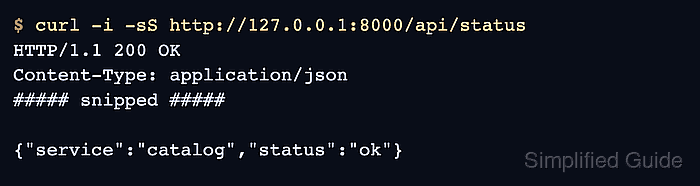
$ curl -i -sS http://127.0.0.1:8000/api/status
HTTP/1.1 200 OK
Content-Type: application/json
##### snipped #####

{"service":"catalog","status":"ok"}
The status line, Content-Type header, and response body confirm that Symfony returned the JSON endpoint. Copy only the response body into the validator when a browser-side JSON syntax check is useful.
Tool: JSON Validator - Stop the local server after the smoke test.
$ symfony server:stop
[OK] Stopped the local web server

Mohd Shakir Zakaria is a cloud architect with deep roots in software development and open-source advocacy. Certified in AWS, Red Hat, VMware, ITIL, and Linux, he specializes in designing and managing robust cloud and on-premises infrastructures.


