How to update packages in openSUSE and SLES
Installing current package updates on openSUSE and SLES closes security gaps, picks up bug fixes, and keeps the system aligned with the repositories that supply its supported software. Routine maintenance also reduces the chance of hitting dependency conflicts later when a delayed update has to be performed under pressure.
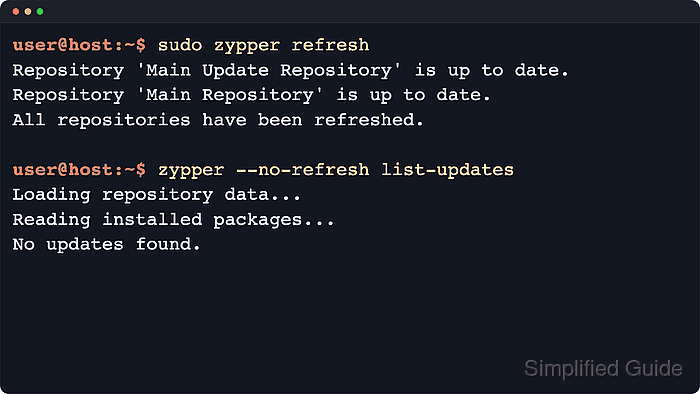
The zypper package manager works from repository metadata and the installed RPM database. Refreshing repositories updates the local package view, list-updates shows newer builds that match the current vendor and priority rules, and update installs those newer package versions without changing the underlying distribution target.
Command choice matters across the SUSE family. Registered SLES systems usually use zypper patch for official maintenance fixes, while openSUSE Tumbleweed snapshot changes are applied with zypper dup rather than zypper update; the steps below stay focused on package updates for openSUSE Leap and SLES and call out those exceptions where they affect the result.
Steps to update packages in openSUSE and SLES:
- Open a terminal session with a user account that can run sudo.
- Refresh repository metadata before checking for newer packages.
$ sudo zypper refresh
Repository 'Main Update Repository' is up to date.
Repository 'Main Repository' is up to date.
All repositories have been refreshed.
Some zypper subcommands can refresh automatically, but running refresh explicitly exposes repository errors and trust prompts before the update transaction starts.
Trust a new repository GPG key only when the repository URL, key fingerprint, and owner match an expected official or internal source.
- List the packages that currently have newer builds available.
$ zypper --no-refresh list-updates
No updates found.
The --no-refresh flag reuses the metadata from the previous step; when updates exist, the output adds the repository, package name, current version, available version, and architecture.
- On registered SLES systems, check whether pending maintenance patches are available before installing general package updates.
$ zypper patch-check
0 patches needed (0 security patches)
If this step reports needed patches, prefer sudo zypper patch in the next step because SUSE documents patching as the most reliable maintenance path for SLES.
- Install the available package updates.
$ sudo zypper update
Nothing to do.
When updates are pending, review the transaction summary, vendor changes, download size, and license prompts before confirming the installation.
Do not use zypper update for openSUSE Tumbleweed snapshot maintenance; use sudo zypper dup there so the system moves to the next tested snapshot as a whole.
- Re-run the package or patch check to confirm that no pending updates remain.
$ zypper --no-refresh list-updates
No updates found.

$ zypper patch-check
0 patches needed (0 security patches)
Use list-updates on openSUSE Leap or when tracking third-party repositories, and use patch-check on registered SLES systems to confirm that official maintenance channels are clean.
- Reboot the system when the transaction summary or installed patch marks the update as requiring a reboot.
$ sudo reboot
Kernel, glibc, systemd, and other low-level library updates can remain only partially applied until the affected services or the whole system are restarted.