How to set up OTP 2FA for SSH authentication
Stolen SSH passwords are dangerous when a password alone opens a remote shell. Requiring an app-generated one-time password through PAM makes a login prove both the account password and a time-based verification code before a session starts.
On Ubuntu and Debian servers, OpenSSH hands keyboard-interactive login prompts to PAM when UsePAM and KbdInteractiveAuthentication are enabled. The pam_google_authenticator.so module checks each user's TOTP secret file after the normal account password succeeds, so enroll the target account before sshd starts requiring OTP.
Authentication changes can lock out new SSH sessions. Keep an existing privileged session or console open, start with one Match User block, and test a fresh login before applying the same policy to more accounts. The phone and server clocks need to stay close because TOTP codes are time based.
Steps to configure OTP 2FA for SSH authentication:
- Keep an existing privileged SSH session or console open.
Do not close the current access path until a new OTP login succeeds. A broken PAM or sshd change can block new sessions.
- Install the PAM Google Authenticator module and QR support.
$ sudo apt install \ libpam-google-authenticator \ libqrencode4 Reading package lists... Building dependency tree... Reading state information... The following NEW packages will be installed: libpam-google-authenticator libqrencode4 ##### snipped ##### Setting up libpam-google-authenticator (20250213-1.11-0.1build1) ... - Create the OTP secret for the target account.
$ sudo -u otpuser -H google-authenticator \
    -t -f -C -d -r 3 -R 30 -w 3 -Q UTF8 \
    -l otpuser@host.example.net \
    -i host.example.net
##### snipped #####
Your new secret key is: REDACTED
Your verification code for code 1 is REDACTED
Your emergency scratch codes are:
  REDACTED
  REDACTED
  REDACTED
  REDACTED
  REDACTED
The QR code, setup URL, secret key, and scratch codes can enroll or recover the factor. Store scratch codes offline and do not paste the real setup material into tickets or chat.
- Confirm that the secret file is owned by the target account and not readable by group or others.
$ sudo ls -l /home/otpuser/.google_authenticator
-r-------- 1 otpuser otpuser 161 Jun 13 12:00 /home/otpuser/.google_authenticator
pam_google_authenticator.so checks the secret file owner and permissions before accepting a code.
- Back up the PAM file for sshd.
$ sudo cp /etc/pam.d/sshd /etc/pam.d/sshd.bak
- Open the PAM file for sshd.
$ sudoedit /etc/pam.d/sshd
- Add the Google Authenticator module immediately after the password stack include.
- /etc/pam.d/sshd
@include common-auth
auth    required      pam_google_authenticator.so
Keeping both password and OTP modules as required makes PAM ask for both factors during authentication.
- Open a dedicated sshd drop-in for the OTP policy.
$ sudoedit /etc/ssh/sshd_config.d/otp.conf
- Require keyboard-interactive authentication for the enrolled user.
- /etc/ssh/sshd_config.d/otp.conf
UsePAM yes
KbdInteractiveAuthentication yes

Match User otpuser
    AuthenticationMethods keyboard-interactive
Replace otpuser with the account that has a .google_authenticator file. Expand the Match scope only after each additional user is enrolled.
Related: How to configure SSH Match blocks
Related: How to set the preferred authentication method for SSH - Test the sshd configuration syntax.
$ sudo sshd -t
No output means the OpenSSH configuration parsed successfully.
Related: How to test SSH server configuration - Reload the SSH service to apply the sshd drop-in.
$ sudo systemctl reload ssh
Use sudo systemctl reload sshd on systems that package the service as sshd.
Related: How to manage the SSH server service with systemctl - Check the effective settings for the enrolled account.
$ sudo sshd -T -C user=otpuser
##### snipped #####
usepam yes
kbdinteractiveauthentication yes
authenticationmethods keyboard-interactive
##### snipped #####
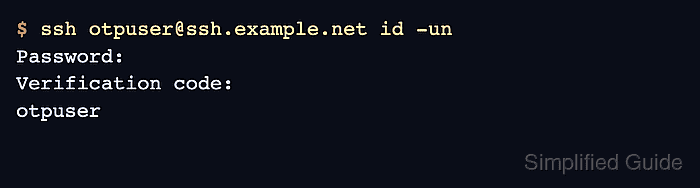
- Confirm a new SSH login asks for the account password and the OTP verification code.
$ ssh otpuser@ssh.example.net id -un
Password:
Verification code:
otpuser
Run this test from a separate client session while the original privileged session remains open.
Related: How to log in to an SSH server from Linux