How to fix the SSH unprotected private key file warning
An SSH private key that is readable by group or other users is rejected before public-key authentication starts. OpenSSH prints the UNPROTECTED PRIVATE KEY FILE warning, ignores the key, and the connection may fall through to password authentication or fail with Permission denied.
OpenSSH accepts identity files that are readable by the owner but not accessible by anyone else. Mode 600 is the common repair for a private key because the owner can still read and update it, while the group and others have no permission bits. Mode 400 can also work when the key never needs local edits, but 600 is easier to maintain.
Fix the local private key, not the matching .pub file or the remote authorized_keys entry. If the key was copied with the wrong owner, correct ownership before changing the mode; the account running ssh must be the account that owns the private key file.
Steps to fix SSH private key file permissions:
- Reproduce the failing connection and confirm that OpenSSH is ignoring the private key.
$ ssh -i ~/.ssh/unprotected.pem user@host.example.net hostname
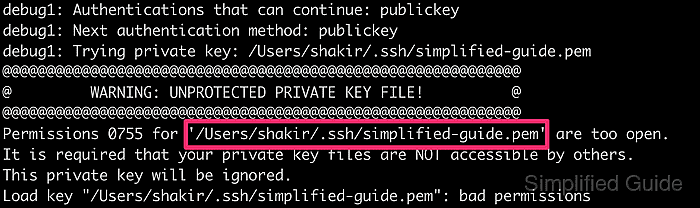
@@@@@@@@@@@@@@@@@@@@@@@@@@@@@@@@@@@@@@@@@@@@@@@@@@@@@@@@@@@
@         WARNING: UNPROTECTED PRIVATE KEY FILE!          @
@@@@@@@@@@@@@@@@@@@@@@@@@@@@@@@@@@@@@@@@@@@@@@@@@@@@@@@@@@@
Permissions 0755 for '/home/user/.ssh/unprotected.pem' are too open.
It is required that your private key files are NOT accessible by others.
This private key will be ignored.
Load key "/home/user/.ssh/unprotected.pem": bad permissions
user@host.example.net: Permission denied (publickey).
- Check the private key mode and owner.
$ ls -l ~/.ssh/unprotected.pem
-rwxr-xr-x 1 user user 411 Jun 13 11:31 /home/user/.ssh/unprotected.pem
The owner should be the login account that runs ssh. If the owner is wrong, correct it with sudo chown "$USER" ~/.ssh/unprotected.pem before changing the mode.
- Restrict the private key to owner read and write access.
$ chmod 600 ~/.ssh/unprotected.pem
Mode 600 is displayed as rw-------. It removes all group and other access while leaving owner read/write access.
Related: How to change file and folder permissions in Linux
Tool: chmod Calculator - Confirm that group and other permission bits are gone.
$ ls -l ~/.ssh/unprotected.pem
-rw------- 1 user user 411 Jun 13 11:31 /home/user/.ssh/unprotected.pem
- Retry the same SSH command with the fixed key.
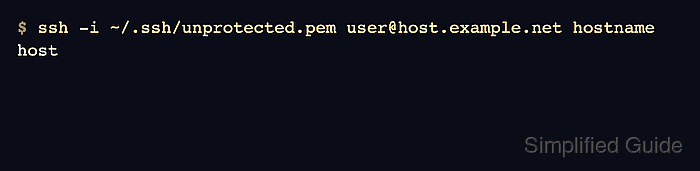
$ ssh -i ~/.ssh/unprotected.pem user@host.example.net hostname
host
The warning should be absent. If authentication still fails, check whether the server account has the matching public key in /home/user/.ssh/authorized_keys and that the key path in the command is the private key, not the .pub file.