How to connect with SSH using a private key
Connecting with an SSH private key removes the remote account password from routine logins and remote commands, which makes repeated administration faster and reduces exposure to password guessing or reused credentials.
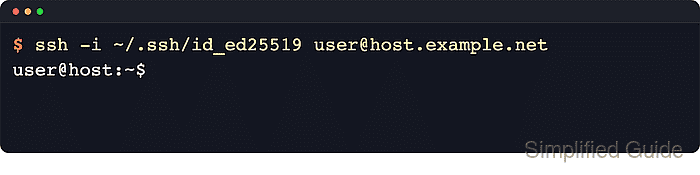
During login, the OpenSSH client reads a local private key, proves possession of the matching secret, and the remote sshd process checks the matching public key against the target account's ~/.ssh/authorized_keys file. When the key matches, the server starts the shell or remote command with public-key authentication instead of asking for the account password.
The local machine must already hold the private key, and the remote account must already trust the matching public key. The first connection to a new host may still ask for host-key confirmation, and a passphrase-protected private key can still prompt locally. When the key is stored under a non-default filename or ssh-agent offers too many identities, use -i with IdentitiesOnly=yes so the client offers only the intended key.
Related: How to create an SSH key pair
Related: How to copy an SSH public key to a server
Steps to connect with SSH using a private key:
- Check the local private key path and permissions.
$ ls -l ~/.ssh/id_ed25519
-rw------- 1 user user 411 Jun 13 10:15 /home/user/.ssh/id_ed25519
OpenSSH checks default identity files such as ~/.ssh/id_ed25519, ~/.ssh/id_ecdsa, and ~/.ssh/id_rsa automatically. Use ssh -i /path/to/key when the key has a different name or lives outside ~/.ssh.
- Restrict the private key to the local account if group or other users can read it.
$ chmod 600 ~/.ssh/id_ed25519
OpenSSH ignores private keys that are accessible by other users and prints an UNPROTECTED PRIVATE KEY FILE! warning until the mode is reduced to owner-only access.
Related: How to fix the SSH unprotected private key file warning - Start an interactive SSH session with the selected private key.
$ ssh -i ~/.ssh/id_ed25519 user@host.example.net
user@host:~$
If the server is being contacted for the first time, ssh may ask to confirm the remote host key before login continues. A private-key passphrase prompt is local to the client and is separate from the remote account password.
- Run a remote command with only the selected identity offered.
$ ssh -i ~/.ssh/id_ed25519 -o IdentitiesOnly=yes user@host.example.net whoami
user
If the command returns immediately without a remote account password prompt, the server accepted the key for that account.
- Use verbose mode to confirm that the server accepted the key when troubleshooting.
$ ssh -i ~/.ssh/id_ed25519 -o IdentitiesOnly=yes -v user@host.example.net true
debug1: Offering public key: /home/user/.ssh/id_ed25519 ED25519 SHA256:s79G+Ftrqj8epaR6cLdRkeQVRctK4zu0uR6ZkbDA5jc explicit
debug1: Server accepts key: /home/user/.ssh/id_ed25519 ED25519 SHA256:s79G+Ftrqj8epaR6cLdRkeQVRctK4zu0uR6ZkbDA5jc explicit
Authenticated to host.example.net ([203.0.113.50]:22) using "publickey".
Offering public key shows that the client tried the selected key, Server accepts key shows that the server matched it, and Authenticated … using “publickey” confirms that the login succeeded without falling back to a password.
Related: How to increase SSH client verbosity
Tool: SSH Key Fingerprint Checker