How to show SSH client configuration
Short SSH aliases can hide the real destination, login name, key file, jump host, and keepalive settings that the client will use. Showing the resolved client configuration lets an operator compare those values before opening or troubleshooting a session.
The OpenSSH client builds its settings from command-line options, the per-user file /~/.ssh/config, the system-wide file /etc/ssh/ssh_config, and any files loaded through Include directives. For most settings, the first value found wins, so the order of Host and Match rules can change the final result.
The ssh -G mode prints the effective configuration after matching rules are evaluated and exits without authenticating to the server. The local account matters because another user can have different include files, different defaults, or no per-user overrides, and the output can expose usernames, internal hostnames, jump hosts, and identity-file paths.
Steps to show SSH client configuration:
- Print the resolved configuration for the destination alias.
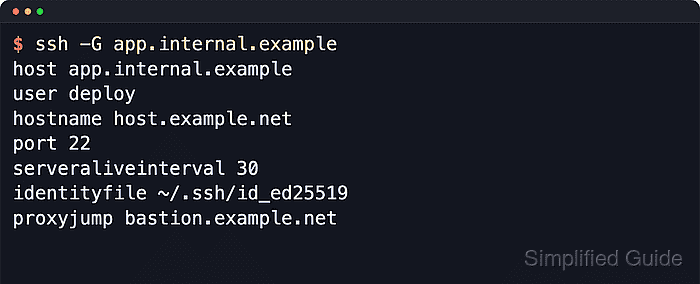
$ ssh -G app.internal.example
host app.internal.example
user deploy
hostname host.example.net
port 22
##### snipped #####
serveraliveinterval 30
identityfile ~/.ssh/id_ed25519
forwardagent no
proxyjump bastion.example.net
ssh -G evaluates Host and Match rules, prints the merged client settings, and exits before authentication.
- Compare the connection fields that decide where the client will go.
Check hostname, user, port, identityfile, proxyjump, forwardagent, and any timeout or forwarding directive involved in the session.
- Include the command-line options used by the real session.
$ ssh -G -l release app.internal.example
host app.internal.example
user release
hostname host.example.net
port 22
##### snipped #####
serveraliveinterval 30
identityfile ~/.ssh/id_ed25519
forwardagent no
proxyjump bastion.example.net
Command-line options are read before client config files, so a one-off ssh option can override a saved Host block.
- Add verbose config parsing when a value comes from the wrong block or include file.
$ ssh -vG app.internal.example
debug1: OpenSSH_10.2p1 Ubuntu-2ubuntu3.2, OpenSSL 3.5.5 27 Jan 2026
debug1: Reading configuration data /home/user/.ssh/config
debug1: Reading configuration data /home/user/.ssh/extra.conf
debug1: /home/user/.ssh/extra.conf line 1: Applying options for *.internal.example
debug1: /home/user/.ssh/config line 8: Applying options for app.internal.example
debug1: Reading configuration data /etc/ssh/ssh_config
debug1: Reading configuration data /etc/ssh/ssh_config.d/20-systemd-ssh-proxy.conf
debug1: /etc/ssh/ssh_config line 21: Applying options for *
debug1: Setting implicit ProxyCommand from ProxyJump: ssh -v -W '[%h]:%p' bastion.example.net
##### snipped #####
Use the named files and line numbers to inspect the matching Host, Match, or Include path.
Related: How to configure SSH Match blocks
Related: How to increase SSH client verbosity
Tool: Secure Shell (SSH) Client Config Editor - Mask sensitive values before sending the output to another person.
Resolved client config can expose local usernames, internal domains, bastion names, key paths, proxy commands, and forwarded ports.