Shared workstations and administrator laptops often hold more than one SSH private key, and the wrong key can be offered before the intended one. A per-host OpenSSH client config entry binds a short alias to the destination, login name, and private key, so ssh app-server selects the right identity without repeating -i on every command.
The OpenSSH client reads the per-user file at ~/.ssh/config before falling back to broader defaults from /etc/ssh/ssh_config. A Host line matches the name typed after ssh, while HostName points at the real server and IdentityFile names the private key that should be used for public-key authentication.
Keep host-specific entries above broad defaults such as Host * because OpenSSH generally uses the first value it reads for each option. Use IdentitiesOnly yes when an agent or hardware key provider holds unrelated identities, and remember that the remote account must already trust the matching public key before the alias can log in.
Steps to set per-host SSH identity files in SSH config:
- Open a terminal as the local account that will run SSH.
- Create the per-user SSH directory if it does not already exist.
$ mkdir -p ~/.ssh
- Restrict the SSH directory to the local account.
$ chmod 700 ~/.ssh
Other local users must not be able to read private keys or modify the client config.
- Open the per-user client config file.
$ nano ~/.ssh/config
On Windows 11 with the built-in OpenSSH client, edit C:\Users\username\.ssh\config from the same Windows account instead.
- Add a host alias for the first server and key.
Host app-server
  HostName host.example.net
  User user
  IdentityFile ~/.ssh/id_ed25519_app
  IdentitiesOnly yes
IdentitiesOnly yes keeps ssh-agent from offering unrelated keys after the configured IdentityFile.
Tool: SSH Config Snippet Generator - Add another host alias for the next server and key.
Host db-server
  HostName db.example.net
  User backupuser
  IdentityFile ~/.ssh/id_ed25519_db
  IdentitiesOnly yes
The Host value is the alias typed on the command line. It does not have to match HostName.
- Restrict the config file and the referenced private keys.
$ chmod 600 ~/.ssh/config ~/.ssh/id_ed25519_app ~/.ssh/id_ed25519_db
OpenSSH can ignore private keys with loose permissions, and readable key files expose credentials to other local accounts.
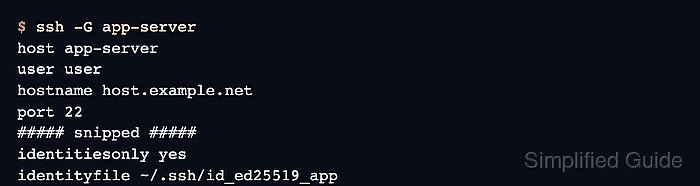
- Print the resolved client config for the first alias.
$ ssh -G app-server
host app-server
user user
hostname host.example.net
port 22
##### snipped #####
identitiesonly yes
identityfile ~/.ssh/id_ed25519_app
ssh -G shows the final settings after matching Host blocks and defaults are applied, without opening a network session.
Related: How to show SSH client configuration - Print the resolved client config for the second alias.
$ ssh -G db-server
host db-server
user backupuser
hostname db.example.net
port 22
##### snipped #####
identitiesonly yes
identityfile ~/.ssh/id_ed25519_db
- Connect through the alias to confirm the selected key works for the remote account.
$ ssh app-server whoami
user
The first connection to a new server may still require host-key confirmation. A private-key passphrase prompt is local to the client; repeated prompts can be reduced by loading the key into ssh-agent.
Related: How to connect with SSH using a private key
Related: How to add an SSH key to ssh-agent

Mohd Shakir Zakaria is a cloud architect with deep roots in software development and open-source advocacy. Certified in AWS, Red Hat, VMware, ITIL, and Linux, he specializes in designing and managing robust cloud and on-premises infrastructures.


