How to require SMB encryption on a Samba share
Sensitive SMB shares can expose file names and file contents on networks where traffic can be inspected if clients negotiate an unencrypted session. Requiring encryption on the share lets Samba keep ordinary shares unchanged while forcing the protected share to accept only clients that can use encrypted SMB traffic.
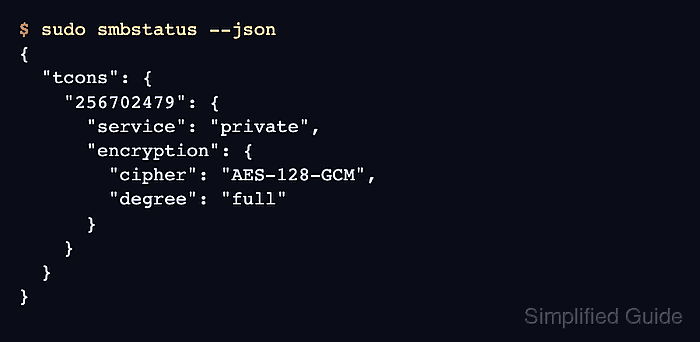
Samba controls this with the share-level smb encrypt setting. With normal global encryption negotiation left enabled, Samba encrypts the protected share connection for SMB3-capable clients and rejects clients that cannot negotiate the required protection.
Apply this to one existing share after confirming the expected clients support SMB3 encryption. The change can interrupt legacy devices that only speak older SMB dialects, so test with a representative client before applying it to folders used by scanners, storage appliances, or old operating systems.
Related: How to create a Samba share on Linux
Related: How to force an SMB protocol version
Related: How to require SMB server signing
Steps to require SMB encryption on a Samba share:
- Confirm the target share section in the active Samba configuration.
$ sudo testparm -s --section-name=private
Load smb config files from /etc/samba/smb.conf
Loaded services file OK.

[private]
        path = /srv/samba/private
        read only = No
        valid users = sguser
Replace private with the share name to protect. The share must already allow the intended Samba users and filesystem permissions before encryption is added.
- Back up the Samba configuration file.
$ sudo cp /etc/samba/smb.conf /etc/samba/smb.conf.bak
- Open the Samba configuration file.
$ sudoedit /etc/samba/smb.conf
- Add the encryption requirement inside the protected share section.
[private]
    path = /srv/samba/private
    read only = no
    valid users = sguser
    smb encrypt = required
Do not set global server smb encrypt = off while requiring encryption on an individual share. Samba disables encryption negotiation globally in that state, and the protected share denies all clients.
- Validate the saved share setting.
$ sudo testparm -s --parameter-name='smb encrypt' --section-name=private
Load smb config files from /etc/samba/smb.conf
Loaded services file OK.

required
- Reload the running smbd configuration.
$ sudo smbcontrol smbd reload-config
smbcontrol asks the running smbd process to reload /etc/samba/smb.conf without relying on a distribution-specific service wrapper.
- Connect with an encrypted SMB client.
$ smbclient //files.example.net/private -U sguser --client-protection=encrypt -c 'ls'
Password for [WORKGROUP\sguser]:
  .                                   D        0  Tue Jun 16 01:03:50 2026
  ..                                  D        0  Tue Jun 16 01:03:50 2026

        123530212 blocks of size 1024. 107853168 blocks available
Use the real server name and share. --client-protection=encrypt makes smbclient require encrypted protection for the test connection.
- Check that an SMB2-only client cannot connect to the protected share.
$ smbclient //files.example.net/private -U sguser --max-protocol=SMB2_10 -c 'ls'
Password for [WORKGROUP\sguser]:
tree connect failed: NT_STATUS_ACCESS_DENIED
SMB2_10 is a test boundary for a client that cannot use native SMB3 encryption. Do not leave production clients pinned to that dialect.
- Verify a live encrypted share connection from the server.
$ sudo smbstatus --json
{
  "sessions": {
    "2742588353": {
      "username": "sguser",
      "session_dialect": "SMB3_11",
      "encryption": {
        "cipher": "AES-128-GCM",
        "degree": "partial"
      }
    }
  },
  "tcons": {
    "256702479": {
      "service": "private",
      "encryption": {
        "cipher": "AES-128-GCM",
        "degree": "full"
      }
    }
  }
}
Run this while the test client is still connected. The share connection under tcons should show the protected service and degree set to full.
Related: How to check active Samba connections with smbstatus