A Samba file server should normally negotiate the highest SMB dialect that both sides support, but a mixed client estate can leave old clients using a dialect the server should no longer allow. Forcing the server protocol range in /etc/samba/smb.conf makes new SMB sessions accept only the chosen dialect family, such as SMB3, while older SMB2 or SMB1 attempts fail during negotiation.
Samba controls server-side negotiation with the global server min protocol and server max protocol settings. Setting the minimum to SMB3_00 and leaving the maximum at SMB3 limits new sessions to SMB3 variants while still allowing the client and server to choose the strongest SMB3 dialect they both support.
Existing SMB sessions keep the dialect they already negotiated until they reconnect. Schedule the change around active file access, reload smbd after validation, and test both a rejected older dialect and an allowed SMB3 connection before treating the change as complete.
Steps to force an SMB protocol version in Samba:
- Back up the current Samba configuration.
$ sudo cp /etc/samba/smb.conf /etc/samba/smb.conf.before-protocol-change
- Open the Samba configuration file.
$ sudoedit /etc/samba/smb.conf
- Set the protocol range in the existing [global] section.
[global]
   server min protocol = SMB3_00
   server max protocol = SMB3
Set server min protocol and server max protocol to the same value only when an exact dialect is required. Avoid NT1 unless a legacy client is unavoidable, because NT1 enables SMB1-era negotiation.
- Test the Samba configuration.
$ sudo testparm -s
Load smb config files from /etc/samba/smb.conf
Loaded services file OK.
Weak crypto is allowed by GnuTLS (e.g. NTLM as a compatibility fallback)
##### snipped #####
- Check the parsed minimum server protocol.
$ sudo testparm -s --parameter-name='server min protocol'
SMB3_00
- Check the parsed maximum server protocol.
$ sudo testparm -s --parameter-name='server max protocol'
SMB3
- Reload smbd to apply the protocol range.
$ sudo smbcontrol smbd reload-config
Active sessions keep their already negotiated dialect. New sessions use the reloaded settings after clients reconnect.
- Reconnect affected clients or remount affected CIFS mounts before testing.
For a Linux kernel CIFS mount, remount with the matching vers value, such as vers=3.1.1, after the server rejects older dialects.
- Confirm that an older SMB2 client attempt is rejected.
$ smbclient //files.example.net/team -U sguser -m SMB2 -c ls
Password for [WORKGROUP\sguser]:
Protocol negotiation to server files.example.net (for a protocol between SMB2_02 and SMB2) failed: NT_STATUS_NOT_SUPPORTED
- Confirm that an allowed SMB3 client can still browse the share.
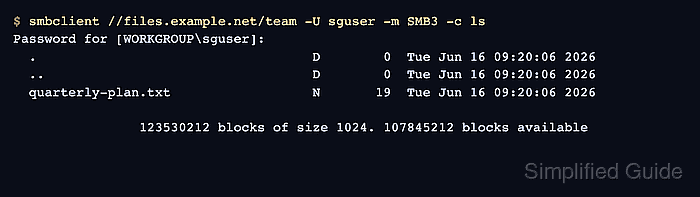
$ smbclient //files.example.net/team -U sguser -m SMB3 -c ls
Password for [WORKGROUP\sguser]:
  .                                   D        0  Tue Jun 16 09:20:06 2026
  ..                                  D        0  Tue Jun 16 09:20:06 2026
  quarterly-plan.txt                  N       19  Tue Jun 16 09:20:06 2026

		123530212 blocks of size 1024. 107845212 blocks available

Mohd Shakir Zakaria is a cloud architect with deep roots in software development and open-source advocacy. Certified in AWS, Red Hat, VMware, ITIL, and Linux, he specializes in designing and managing robust cloud and on-premises infrastructures.


