How to encode embeddings with multiple processes in Sentence Transformers
Large embedding jobs can outgrow the throughput of one model process before they exhaust the available CPU cores or GPUs. Sentence Transformers can distribute one encode() call across a device list while returning a single embedding matrix in the original input order.
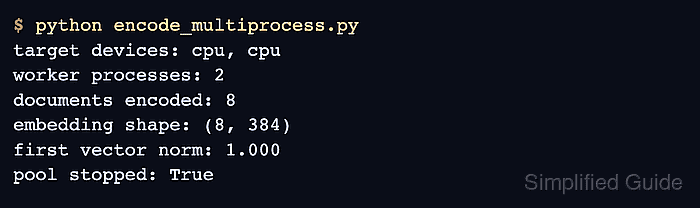
Repeated cpu entries create multiple CPU workers, while entries such as cuda:0 and cuda:1 assign one worker to each GPU. Passing the device list directly suits one large encode call because Sentence Transformers creates and stops the pool automatically; an explicitly reusable pool is more efficient when several calls share the same workers.
The chunk_size value controls how many texts are sent to each process, whereas batch_size controls the inference batches inside each process. Comparing the parallel matrix with a serial encode of the same ordered inputs detects missing, reordered, or changed vectors, and unit-length checks confirm that normalization was applied.
Steps to encode Sentence Transformers embeddings with multiple processes:
- Create the program's model, input, and worker-target section in encode_multiprocess.py.
- encode_multiprocess.py
import numpy as np
from sentence_transformers import SentenceTransformer


MODEL_ID = "sentence-transformers/all-MiniLM-L6-v2"
DOCUMENTS = [
    "Reset a forgotten password from the profile security page.",
    "Export paid invoices from the billing dashboard.",
    "Rotate API tokens before sharing an integration.",
    "Change the notification email address for alerts.",
    "Create a vector index for semantic document search.",
    "Archive old support tickets after the retention period.",
    "Review failed background jobs from the worker dashboard.",
    "Update the workspace theme for a user profile.",
]
TARGET_DEVICES = ["cpu", "cpu"]
- Append the multi-process encoder after the worker-target list.
def encode_parallel(model: SentenceTransformer) -> np.ndarray:
    return model.encode(
        DOCUMENTS,
        device=TARGET_DEVICES,
        batch_size=2,
        chunk_size=4,
        normalize_embeddings=True,
        show_progress_bar=False,
    )
One target per GPU is recommended for GPU hosts. Repeated cpu entries create separate CPU worker processes, and chunk_size can be increased for a much larger corpus when each worker has enough memory.
Related: How to select a Sentence Transformers inference device - Append the single-process baseline after encode_parallel().
def encode_serial(model: SentenceTransformer) -> np.ndarray:
    return model.encode(
        DOCUMENTS,
        device="cpu",
        batch_size=2,
        normalize_embeddings=True,
        show_progress_bar=False,
    )
- Append the verification entry point after encode_serial().
def main() -> None:
    model = SentenceTransformer(MODEL_ID)
    parallel_embeddings = encode_parallel(model)
    serial_embeddings = encode_serial(model)

    serial_match = np.allclose(parallel_embeddings, serial_embeddings, atol=1e-5)
    unit_lengths = np.allclose(
        np.linalg.norm(parallel_embeddings, axis=1),
        1.0,
        atol=1e-5,
    )

    print(f"worker targets: {len(TARGET_DEVICES)}")
    print(f"documents encoded: {len(DOCUMENTS)}")
    print(f"embedding shape: {parallel_embeddings.shape}")
    print(f"serial match: {serial_match}")
    print(f"unit lengths: {unit_lengths}")

    if not serial_match or not unit_lengths:
        raise RuntimeError("Multi-process encoding verification failed")


if __name__ == "__main__":
    main()
- Run the completed multi-process encoding program.
$ python encode_multiprocess.py
worker targets: 2
documents encoded: 8
embedding shape: (8, 384)
serial match: True
unit lengths: True
PyTorch shares model weights through system shared memory. A container with a small /dev/shm allocation can fail with No space left on device before workers start; a larger shared-memory allocation or fewer worker targets is required in that environment.