How to test file downloads with Selenium
A browser can report a successful click even when the expected file never reaches the test runner. Selenium Grid managed downloads keep the transfer attached to the active WebDriver session, so a test can trigger the link, retrieve the completed file, and inspect its contents before the session closes.
Managed downloads require the Grid node to enable the feature and the client session to request se:downloadsEnabled. The Python API then lists completed names through get_downloadable_files() and copies a selected file through download_file() while the session remains active.
Use browser download coverage when authentication cookies, redirects, click handlers, or Content-Disposition behavior belongs to the user path. When only the response body matters, Selenium's upstream guidance favors an HTTP client because the WebDriver API does not expose transfer progress.
Steps to test file downloads with Selenium:
- Create selenium-download-file-test.py with the managed-download constants and imports.
$ cat > selenium-download-file-test.py <<'PY'
from pathlib import Path
from tempfile import TemporaryDirectory

from selenium import webdriver
from selenium.webdriver.common.by import By
from selenium.webdriver.support.ui import WebDriverWait


GRID_URL = "http://localhost:4444"
DOWNLOAD_PAGE = "https://www.selenium.dev/selenium/web/downloads/download.html"
FILENAME = "file_1.txt"
PY
GRID_URL is the router address reachable from the test process; remote hosts and containers normally use a Grid service name or published address instead of localhost.
- Append a wait helper that checks the active Grid session for the expected filename.
$ cat >> selenium-download-file-test.py <<'PY'


def wait_for_managed_file(driver, filename, timeout=10):
    WebDriverWait(driver, timeout).until(
        lambda current: filename
        if filename in current.get_downloadable_files()
        else False
    )
PY
get_downloadable_files() returns files held for the current session, so stale files from another browser session cannot satisfy the wait.
- Append the browser session and file-content assertion to the test script.
$ cat >> selenium-download-file-test.py <<'PY'


options = webdriver.ChromeOptions()
options.set_capability("se:downloadsEnabled", True)
driver = webdriver.Remote(command_executor=GRID_URL, options=options)

try:
    driver.get(DOWNLOAD_PAGE)
    driver.find_element(By.ID, "file-1").click()
    wait_for_managed_file(driver, FILENAME)

    with TemporaryDirectory() as download_dir:
        driver.download_file(FILENAME, download_dir)
        downloaded = Path(download_dir) / FILENAME
        contents = downloaded.read_text(encoding="utf-8").strip()
        assert contents == "Hello, World!"

        print(f"Managed file: {downloaded.name}")
        print(f"Contents: {contents}")
finally:
    driver.quit()
PY
The application under test supplies the real page URL, download-link locator, expected filename, and content assertion.
- Run the completed test against a Grid node with managed downloads enabled.
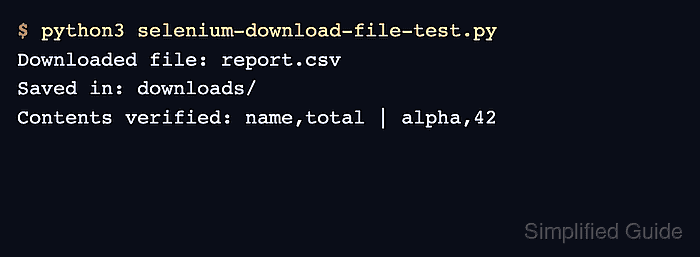
$ python3 selenium-download-file-test.py
Managed file: file_1.txt
Contents: Hello, World!
The node must advertise se:downloadsEnabled for the requested session, and the session must remain open until download_file() has retrieved the file.