How to install rsync on Ubuntu
Local-copy, remote-transfer, and backup jobs on Ubuntu often depend on rsync. Installing the distribution package keeps the command under APT management, alongside the rest of the host's system updates.
Ubuntu publishes the command as the rsync package in its standard repositories. The package includes the CLI and supporting files, but it does not define a transfer, schedule a backup, configure an rsync daemon module, or prepare SSH access.
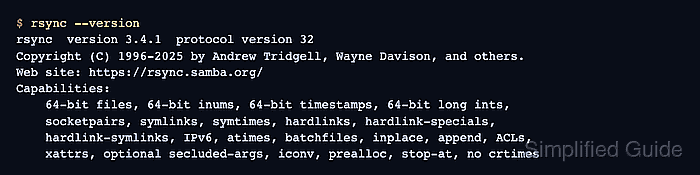
APT package state confirms which build is installed, while rsync --version exercises the installed binary and prints its protocol and compiled capabilities. Together, those checks distinguish a usable CLI from a package name that is only available in a repository.
Related: How to copy a local directory with rsync
Related: How to copy files over SSH with rsync
Related: How to configure an rsync daemon module
Related: How to schedule rsync backups with cron
Steps to install rsync on Ubuntu:
- Open a terminal with sudo privileges.
- Refresh the APT package index.
$ sudo apt update
- Install the rsync package.
$ sudo apt install --assume-yes rsync
Reading package lists...
Building dependency tree...
Reading state information...
Solving dependencies...
Installing:
  rsync

Installing dependencies:
  libpopt0
##### snipped #####
Setting up rsync (3.4.1+ds1-7ubuntu0.3) ...
The exact package version changes as Ubuntu publishes updates. The package name remains rsync.
- Confirm that dpkg records rsync as installed.
$ dpkg-query --show --showformat='${Status}\t${Version}\n' rsync
install ok installed	3.4.1+ds1-7ubuntu0.3
The version changes as Ubuntu publishes package updates. The words install ok installed are the package-state check.
- Verify that the rsync command reports its protocol and capability set.
$ rsync --version
rsync  version 3.4.1  protocol version 32
Copyright (C) 1996-2025 by Andrew Tridgell, Wayne Davison, and others.
Web site: https://rsync.samba.org/
Capabilities:
    64-bit files, 64-bit inums, 64-bit timestamps, 64-bit long ints,
    socketpairs, symlinks, symtimes, hardlinks, hardlink-specials,
    hardlink-symlinks, IPv6, atimes, batchfiles, inplace, append, ACLs,
    xattrs, optional secluded-args, iconv, prealloc, stop-at, no crtimes
##### snipped #####
The version and capability list come from the installed executable. Remote transfers also require rsync on the other system and a configured transport such as SSH.
Related: How to configure an SSH alias for rsync key authentication