Some file-distribution jobs need a pull-only endpoint without giving clients shell accounts. The rsync daemon exposes named modules on TCP port 873, which suits release trees and internal mirrors used from a trusted LAN or VPN.
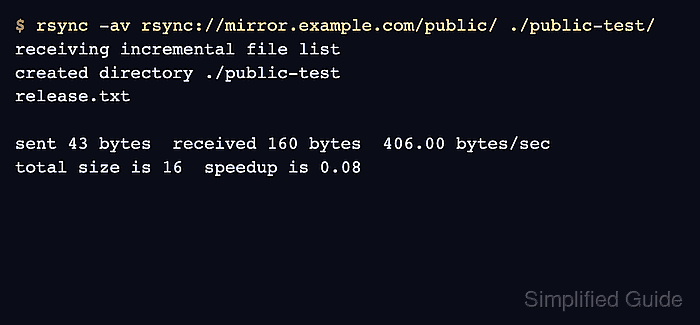
On Ubuntu, the packaged rsync.service starts only when /etc/rsyncd.conf exists. A module combines its exported path with a low-privilege user and group, chroot confinement, a read-only policy, and client address rules; filesystem permissions should reinforce those controls.
Native rsync:// traffic is not protected by SSH encryption. Restrict port 873 to the required client network, keep internet-facing transfers behind a VPN or TLS proxy, and use rsync over SSH when clients already have managed shell access.
Steps to configure an rsync daemon module:
- Create the directory that the archives module will publish.
$ sudo install -d -o root -g nogroup -m 0750 /srv/rsync/archives
Related: How to install rsync on Ubuntu
- Add a known file that an allowed client can download.
$ sudoedit /srv/rsync/archives/release.txt
/srv/rsync/archives/release.txt
release 2026.07
- Keep ownership of the published tree with root while granting the daemon group read access.
$ sudo chown -R root:nogroup /srv/rsync/archives
- Remove access for every other local account and keep group read and directory traversal permissions.
$ sudo chmod -R u=rwX,g=rX,o= /srv/rsync/archives
Tool: chmod Calculator
- Back up an existing daemon configuration before replacing or extending it.
$ sudo cp --archive /etc/rsyncd.conf /etc/rsyncd.conf.backup
Skip the backup command when /etc/rsyncd.conf does not exist yet. Restore this copy and restart rsync.service if the new module prevents the service from starting.
- Open the daemon configuration file.
$ sudoedit /etc/rsyncd.conf
- Define the read-only archives module and restrict it to the client network.
/etc/rsyncd.conf
[archives]
    path = /srv/rsync/archives
    comment = Release archive
    read only = yes
    list = yes
    uid = nobody
    gid = nogroup
    use chroot = yes
    hosts allow = 192.0.2.0/24
    hosts deny = *
Replace 192.0.2.0/24 with the LAN or VPN subnet that should reach the module. Keep hosts deny = * so every source outside the allow list is rejected.
use chroot = yes requires the packaged daemon to start as root, then each transfer switches to nobody:nogroup for file access inside the module path.
- Limit the host firewall rule to the same client subnet.
$ sudo ufw allow from 192.0.2.0/24 to any port 873 proto tcp
Do not add a public any-source rule for port 873. Use the firewall that already manages the server when ufw is not active.
- Enable the packaged rsync service at boot.
$ sudo systemctl enable rsync
- Restart the service to load /etc/rsyncd.conf.
$ sudo systemctl restart rsync
If the command fails, inspect systemctl status rsync and journalctl -u rsync before changing the firewall or client.
- List modules from a client inside the allowed subnet.
$ rsync rsync://mirror.example.com/
archives       	Release archive
- Pull the module contents into a new client directory.
$ rsync -av rsync://mirror.example.com/archives/ ./archives-test/
receiving incremental file list
created directory ./archives-test
./
release.txt

sent 46 bytes  received 135 bytes  362.00 bytes/sec
total size is 16  speedup is 0.09
The trailing slash after archives/ copies the module contents into ./archives-test/ rather than creating another directory level.
- Read the downloaded file to confirm the allowed client received module content.
$ cat ./archives-test/release.txt
release 2026.07
- Attempt an upload from the allowed client to confirm the module remains read-only.
$ rsync -av ./upload-probe.txt rsync://mirror.example.com/archives/
sending incremental file list
ERROR: module is read only
rsync error: syntax or usage error (code 1) at main.c(1168) [Receiver=3.4.1]
rsync: [sender] read error: Connection reset by peer (104)
- Request the module from a client outside the allowed subnet and confirm that the daemon rejects it.
$ rsync rsync://mirror.example.com/archives/
@ERROR: access denied to archives from UNKNOWN (198.51.100.24)
rsync error: error starting client-server protocol (code 5) at main.c(1872) [Receiver=3.4.1]
The rejected address must belong to a real client outside the configured allow list. Do not change hosts allow merely to manufacture this check.

Mohd Shakir Zakaria is a cloud architect with deep roots in software development and open-source advocacy. Certified in AWS, Red Hat, VMware, ITIL, and Linux, he specializes in designing and managing robust cloud and on-premises infrastructures.


