How to create a Redmine issue
Redmine issues are the work records a project team uses for bugs, support requests, tasks, and follow-up items. Creating one from the project Issues screen puts the request under the right tracker so the team can triage it from the same list as the rest of the project work.
The issue form belongs to a single project. Redmine applies the project's enabled trackers, workflow rules, role permissions, priorities, and assignable members before it saves the record.
Start with a project where issue tracking is enabled and your account can add issues. Save a short subject, a useful description, and the fields your team uses for routing, then verify the issue page and project list show the same values.
Related: How to create a Redmine project
Related: How to create a Redmine tracker
Related: How to add members to a Redmine project
Steps to create a Redmine issue:
- Sign in to Redmine with a project member account that can add issues.
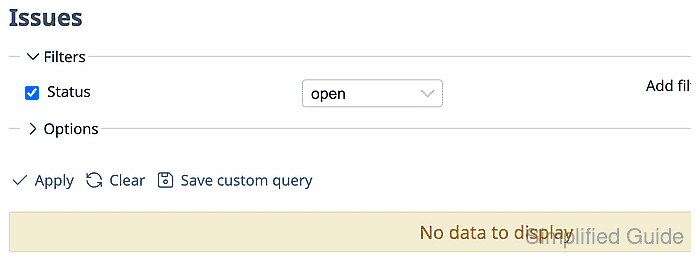
- Open the target project Issues tab and confirm New issue is available.
https://redmine.example.net/projects/field-service/issues
Replace the hostname and project identifier with the values from your Redmine site.
- Click New issue to open the issue form.
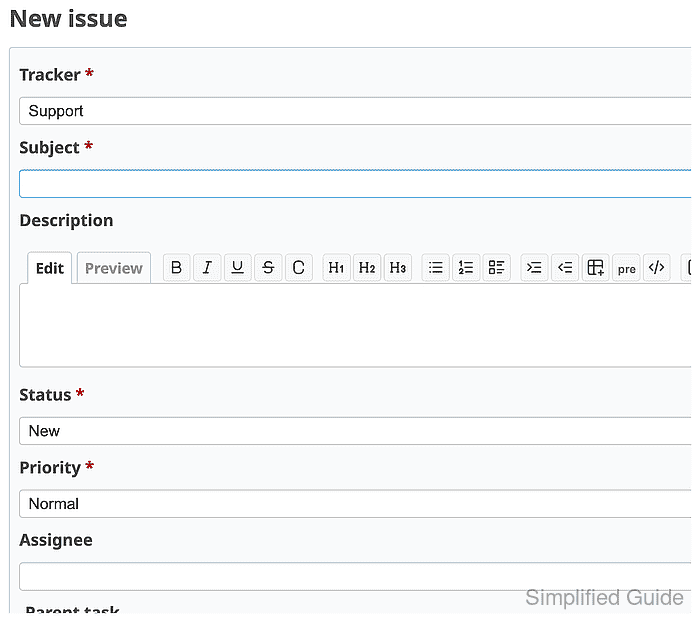
- Select the tracker that matches the work type.
Trackers control the available fields and workflow for the issue. Use the tracker your project uses for bugs, support requests, tasks, or changes.
- Enter a concise Subject and a description with the details another team member needs to start work.
- Set the Priority and Assignee fields.
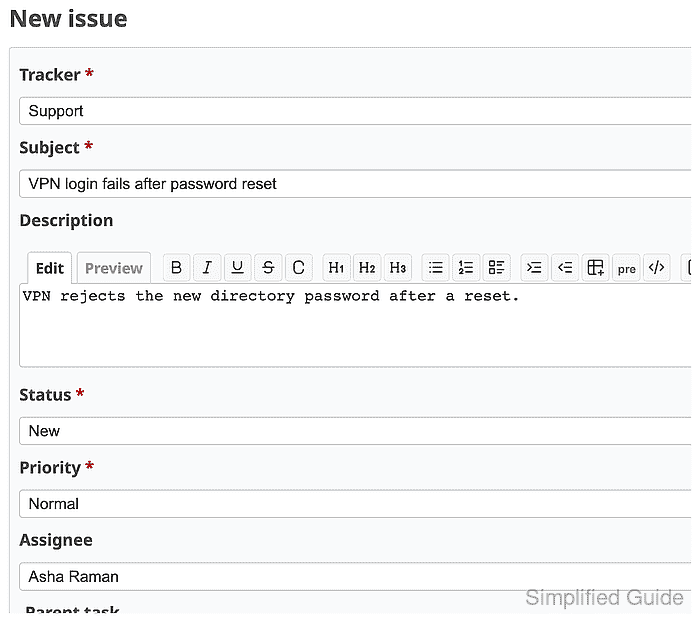
If the expected assignee is missing, confirm the user is a project member with a role that can receive issues.
Related: How to add members to a Redmine project - Click Create to save the issue.
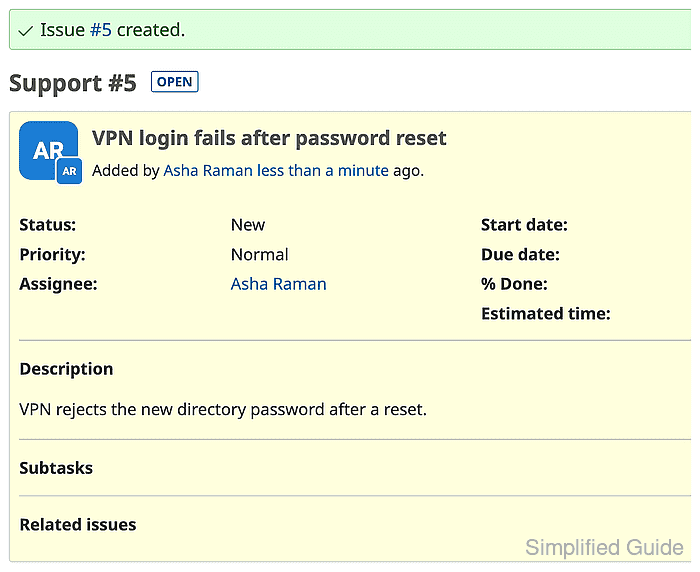
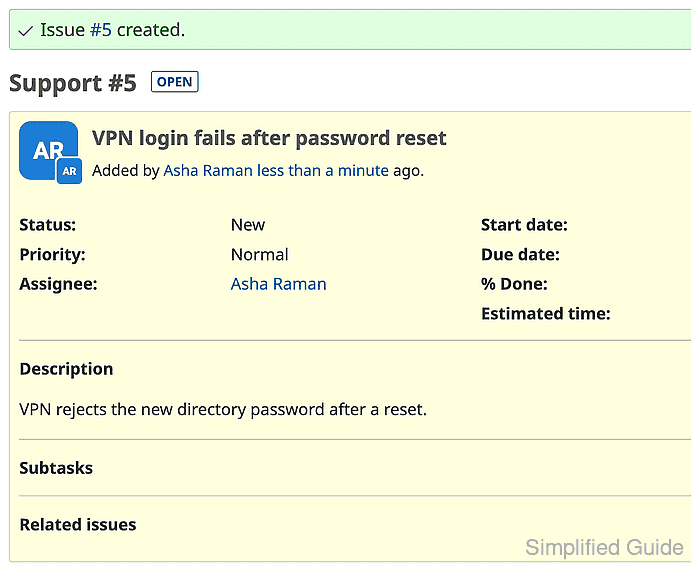
Redmine should show an issue ID, Open state, tracker, status, priority, assignee, and description on the saved issue page.
- Open the project Issues tab again and confirm the issue appears in the list.
